Simple Earn Instructions
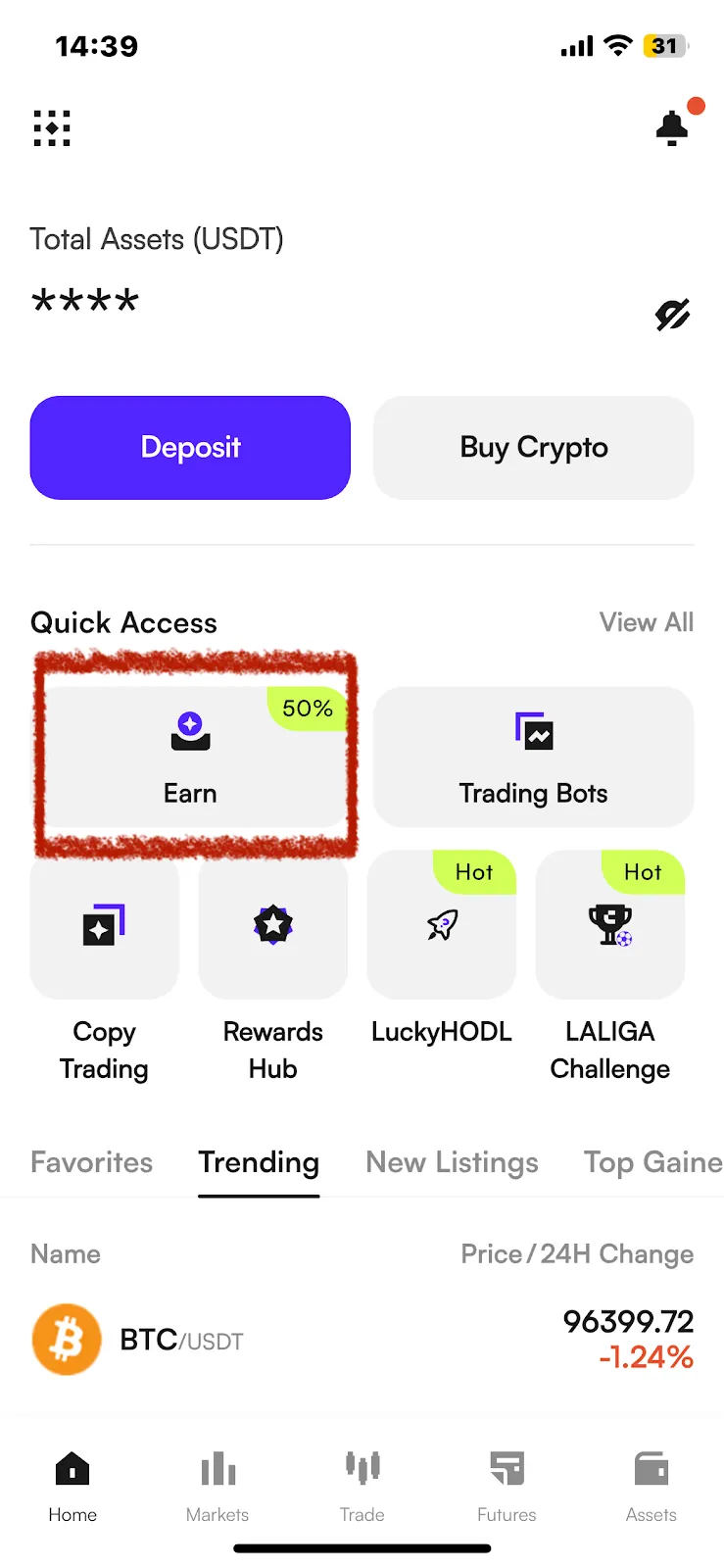
1. Open the CoinW mobile app, log in to your personal account, click "CoinW Earn" on the homepage to enter the CoinW Earn page.
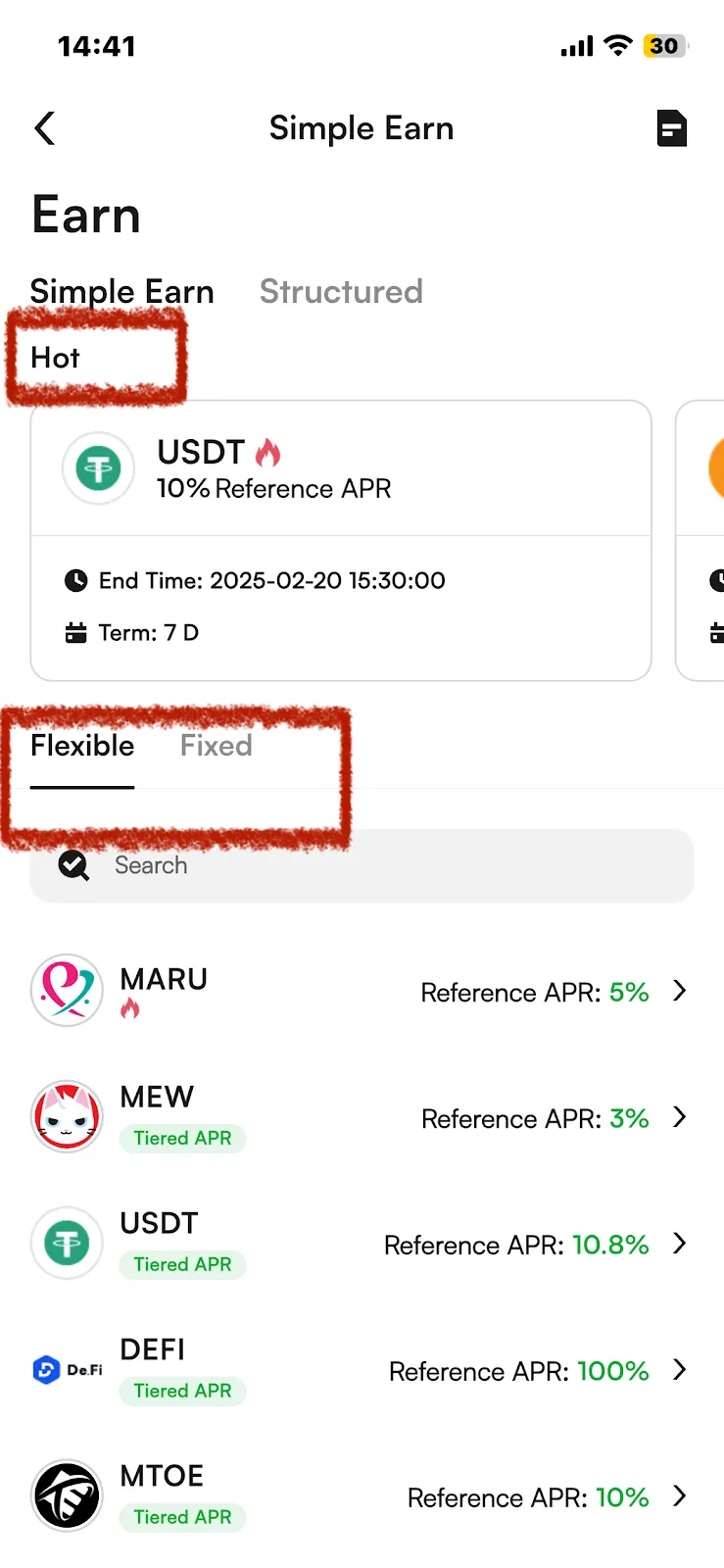
2. The "Hot" Area in the middle of the page is the event products that are currently ongoing; "Flexible" and "Fixed" are regular products. You can choose the product type according to your needs and preferences.
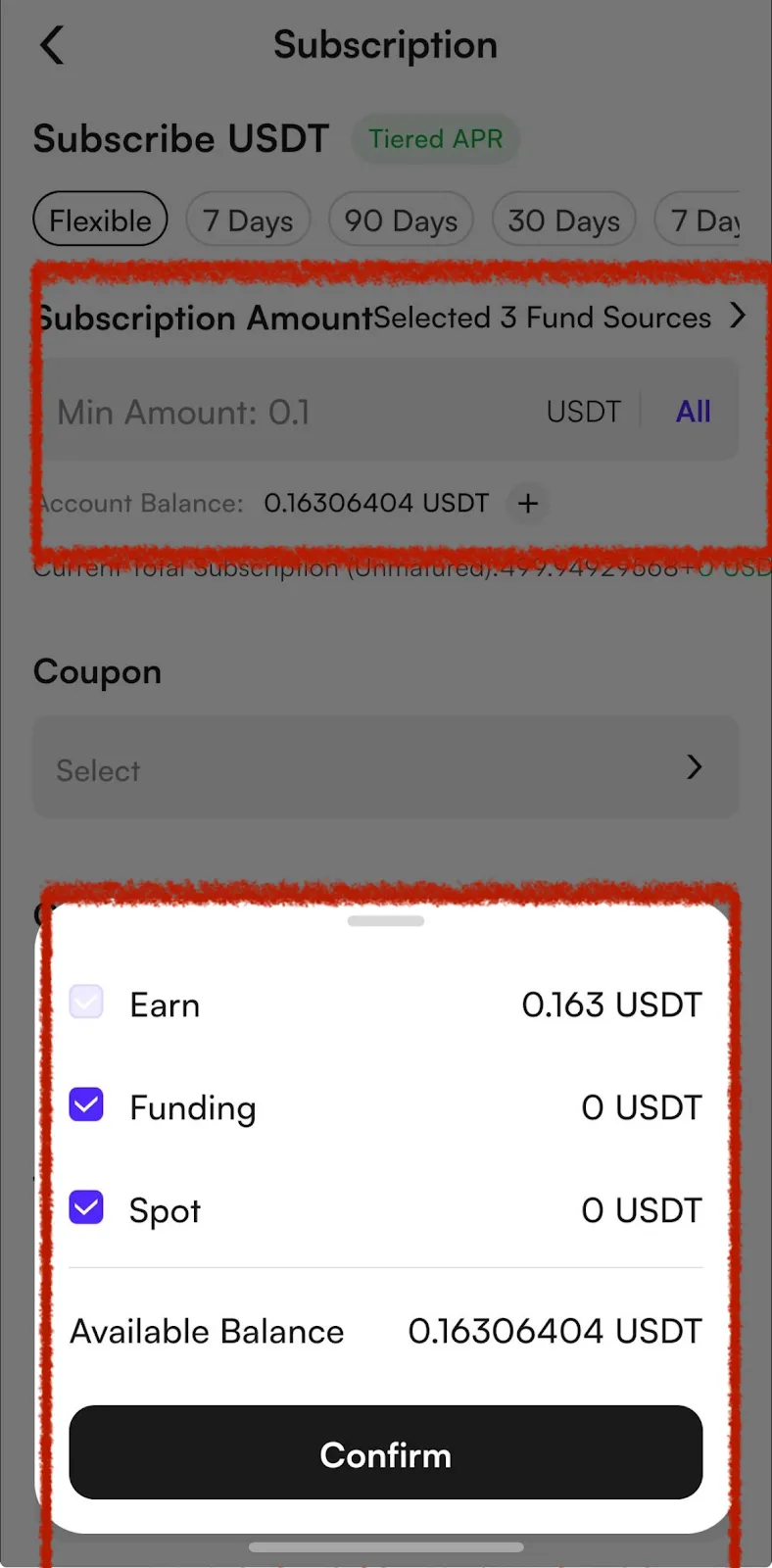
3. Select the product type.
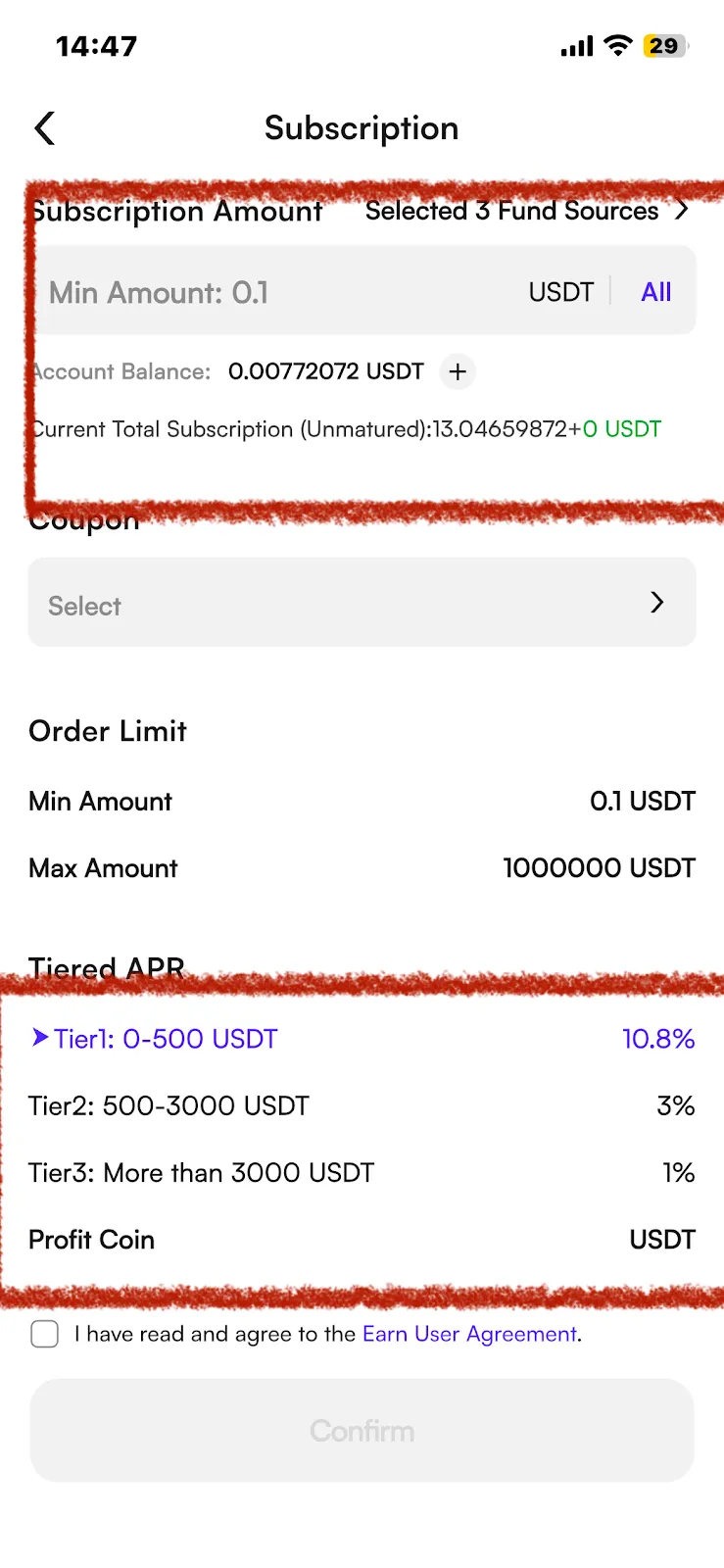
If you choose "Fixed", select the APR and term, and fill in the subscription quantity.
If you want to choose to subscribe to products with Funds from multiple accounts, please click Fund Sources and check the account type as needed.
If you have an earn interest coupon, you can check to use your coupons.
Finally, check "I have read and agreed to the Earn User Agreement" and click [Confirm].
For a tutorial on earn interest coupons, please click: https://coinw.zendesk.com/hc/en-us/articles/41883583163289
4. The same applies to Flexible products.
Select the currency you want to subscribe to and fill in the quantity.
If the product you choose is a tiered interest rate product, please confirm the tiered interest rate details.
Finally, check "I have read and agreed to the Earn User Agreement" and click [Confirm].
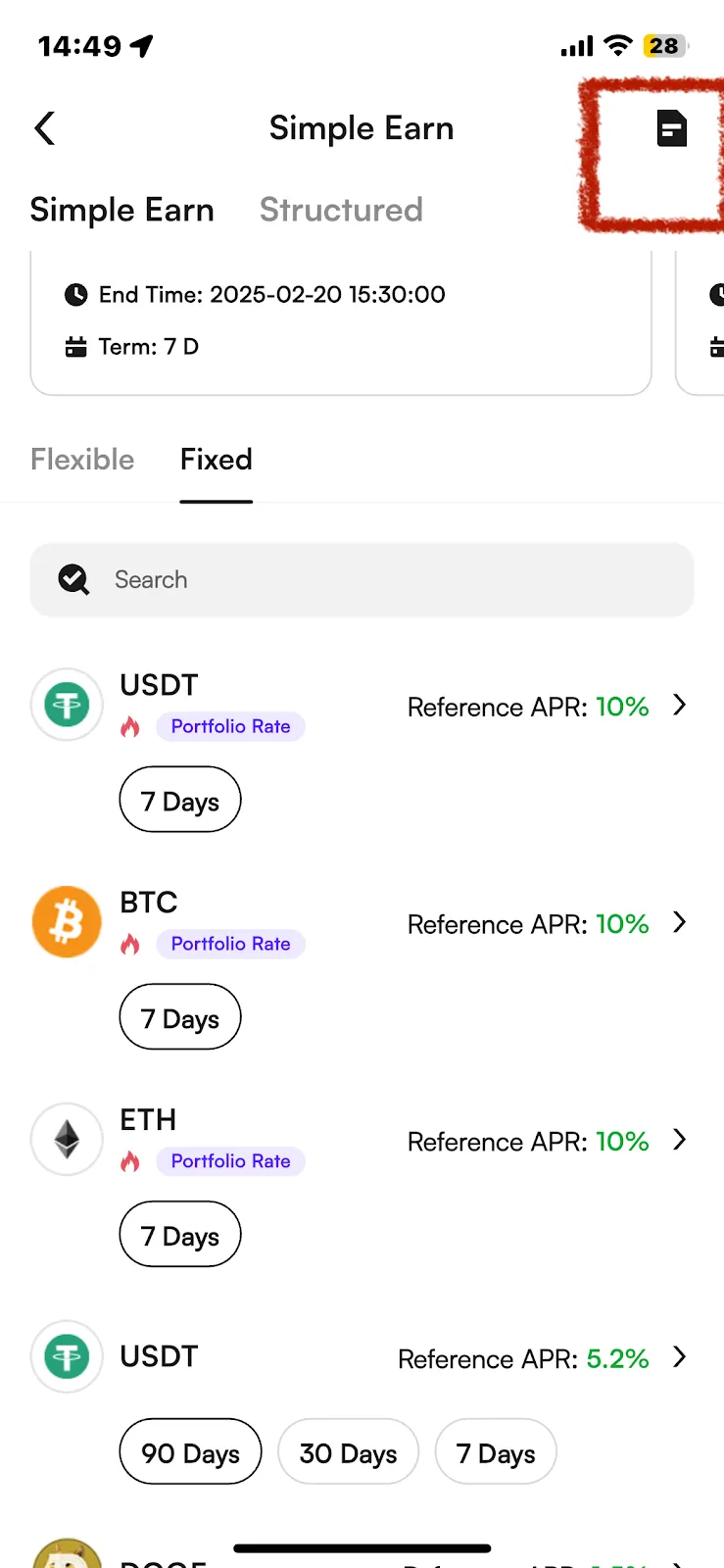
5. After successfully participating, click the icon in the upper right corner to enter the "Bill" page, where you can view the participation details of the products you subscribed to.
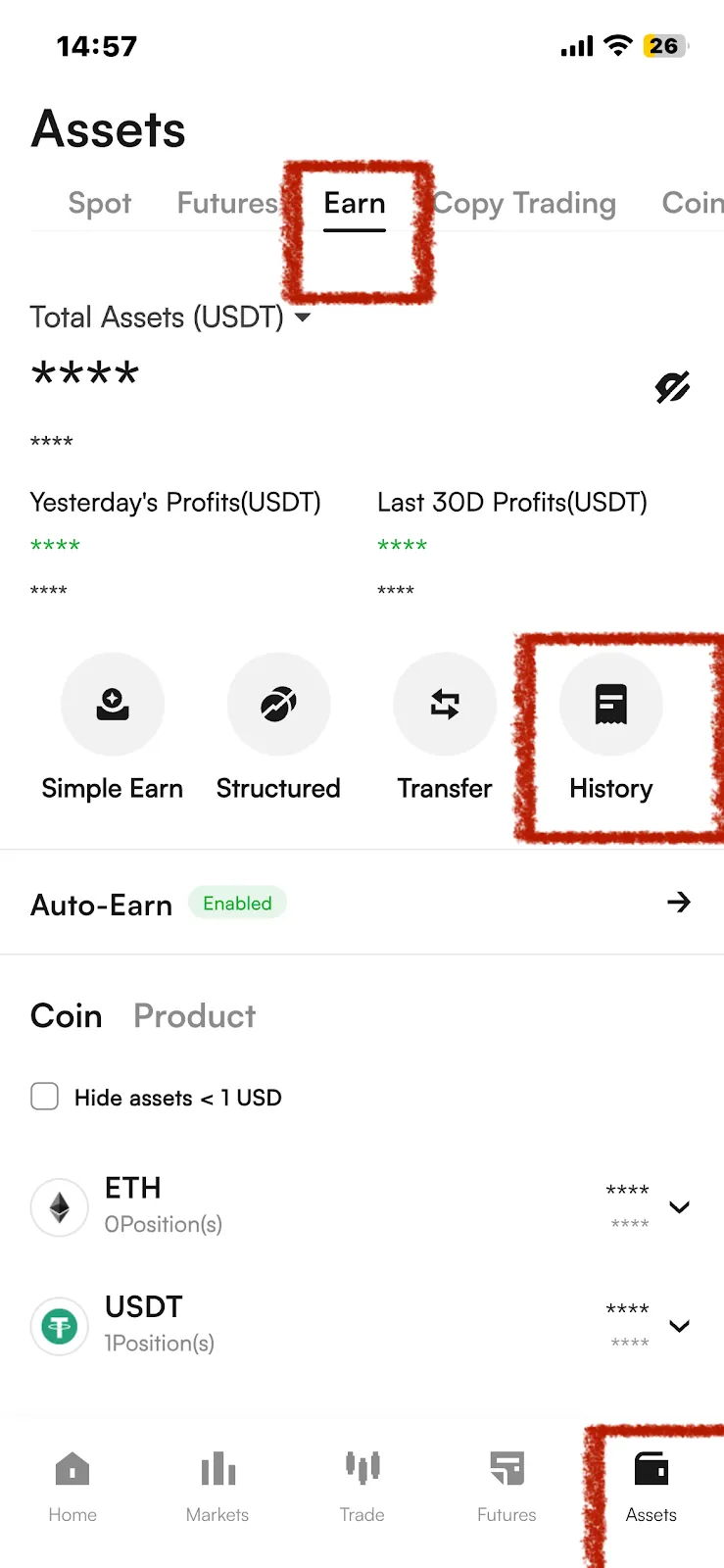
You can check them at Assets> Earn>"History" page as well
6. When redeeming a product, you can go to Assets > Earn and select the product you want to redeem based on the Coin or product.
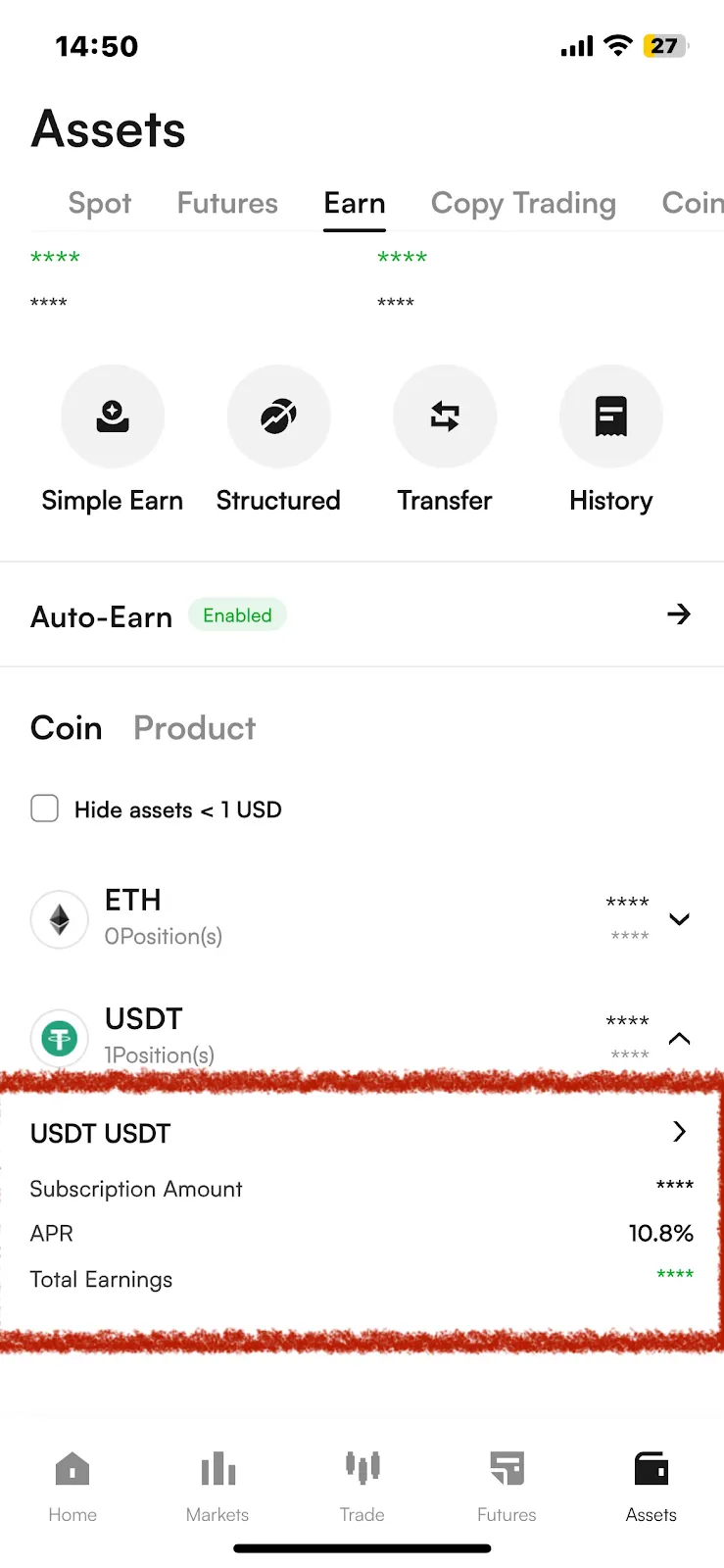
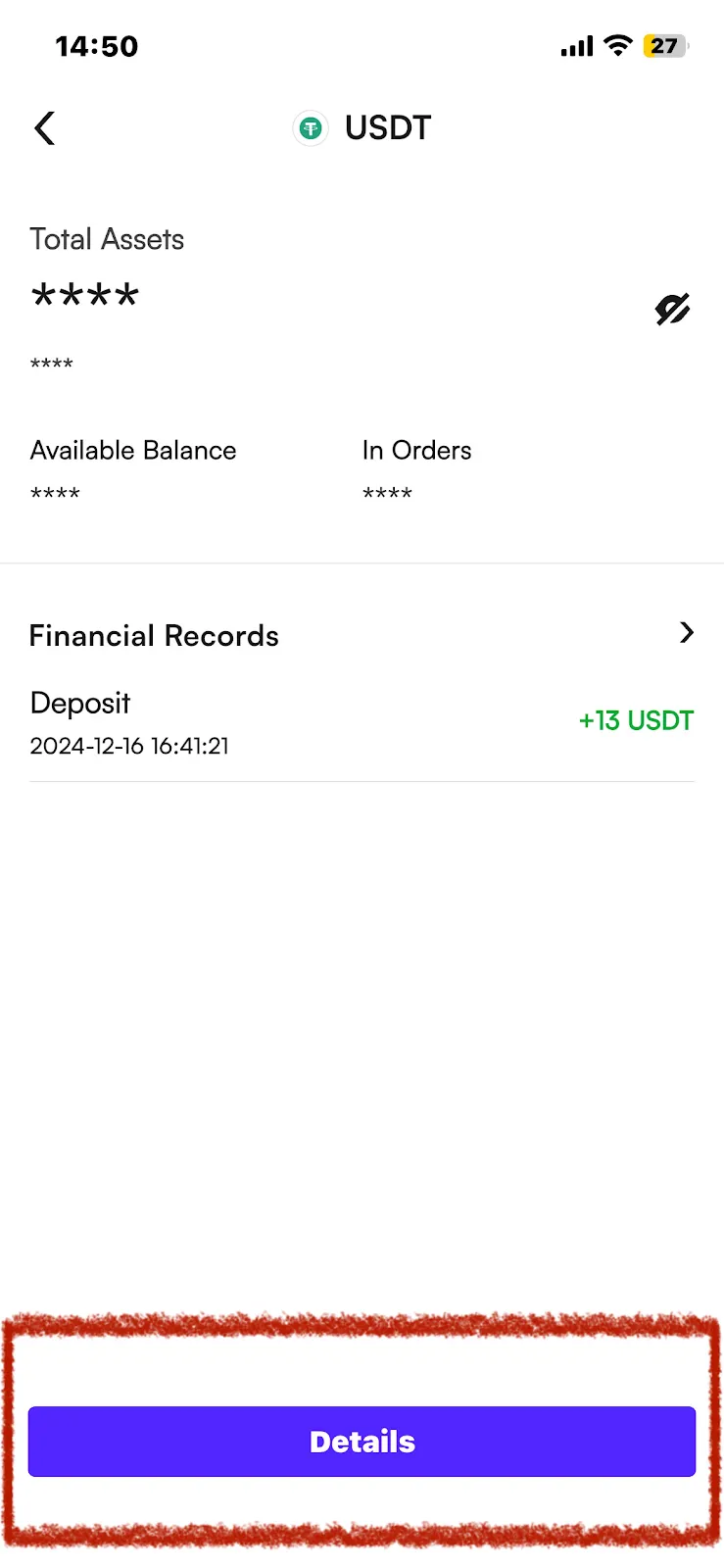
7. Click on the product you want to redeem to enter the redemption confirmation page.
Click “details”
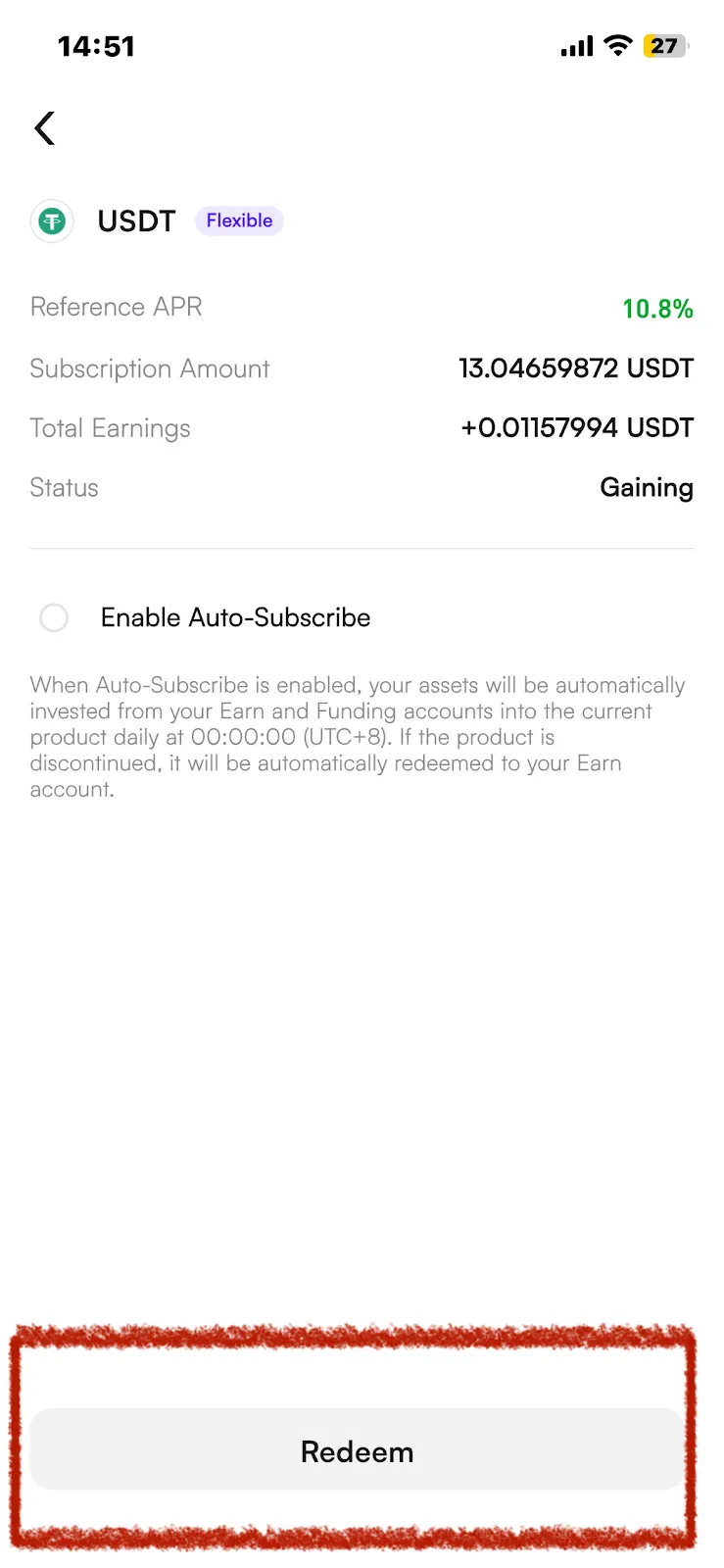
Click Redeem, enter the quantity you want to redeem, and click Confirm to successfully redeem.
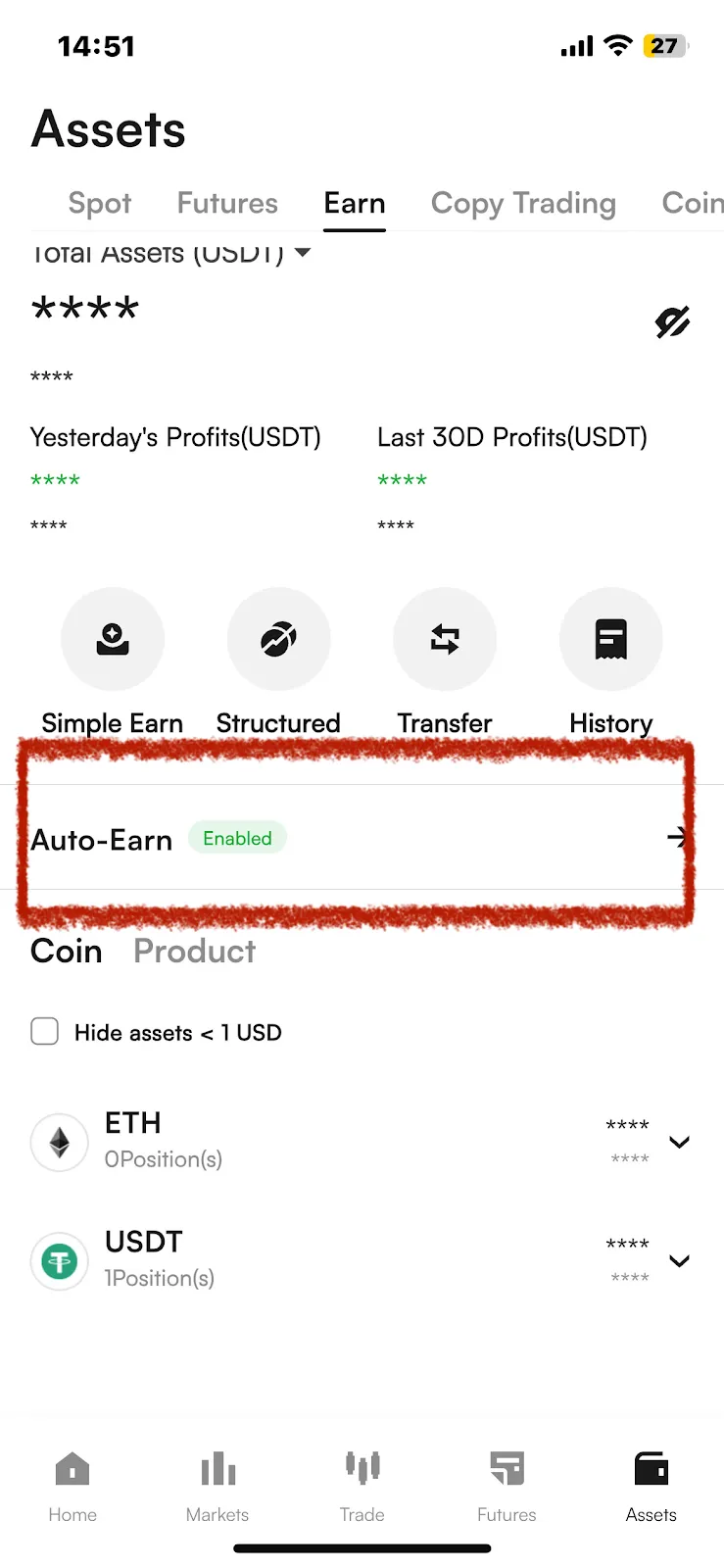
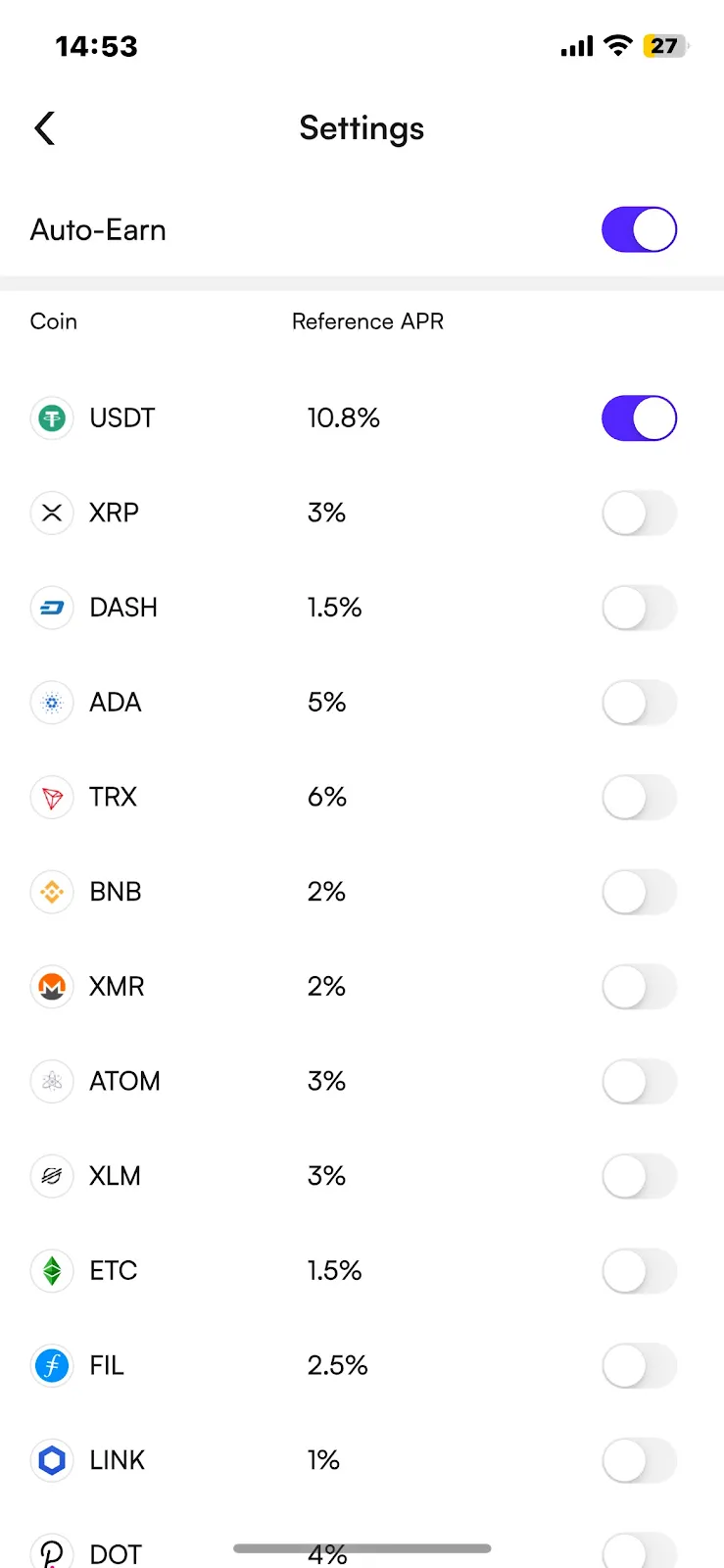
8. About the Auto-Earn function
To turn on/off Auto-Earn in batches : [ Assets ] > [ Earn ] > [ Auto-Earn] > Click [Enable/Disable ] > Check "Auto-Subscribe Agreement". Confirm it then you can turn on/off Auto-Earn function.
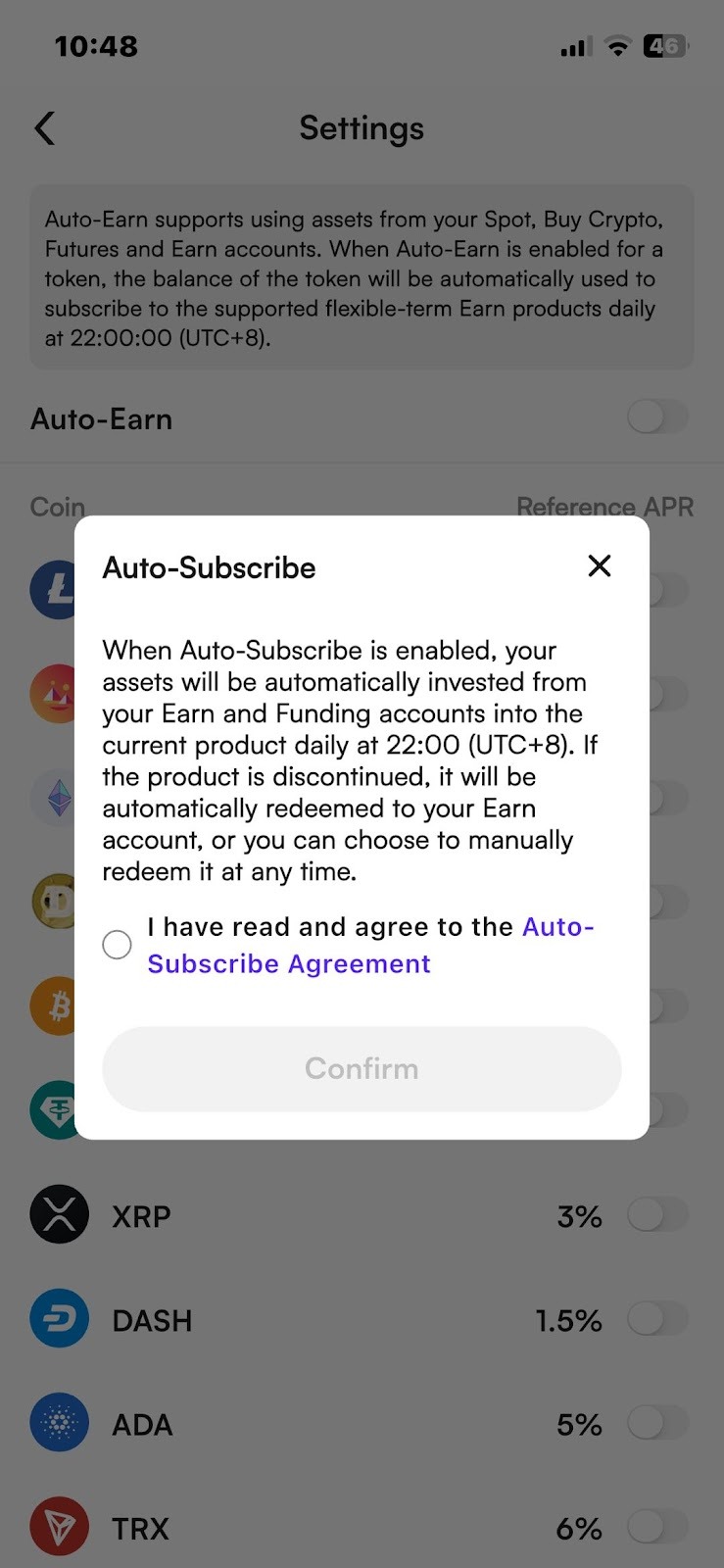
To turn on /off Auto-Earn of a single coin: [ Assets ] > [ Earn ] > [ Auto-Earn] > Click Enable/Disable the coin your specific want to Auto- earn]> Check "Auto-Subscribe Agreement". Confirm it then you can turn on/off Auto-Earn function of a single coin.
Risk Warning:
Simple Earn products provide product information and functional support only, and do not constitute investment advice, any promise of returns, or guarantee of profit. Users should fully understand the relevant rules and agreements before participating.
Rates, terms, or tier rules displayed on the product page are for reference only and do not represent actual future performance. All outcomes, including potential gains or losses, are solely the responsibility of the user.Digital assets are subject to price volatility. Market fluctuations, network delays, or insufficient liquidity may cause actual redemption or transaction results to differ from expectations.Users should participate based on their own risk tolerance and exercise caution when using the Auto-Earn function.
You May Also Like
Futures Strategy Trading Beginner Guide
Futures strategy trading is an automated futures trading tool that executes trades via trading bots based on parameters preset by users. Compared with traditional trading, it significantly reduces the impact of emotional decision-making, enabling users to trade according to preset rules even during periods of extreme market optimism or pessimism.
Futures Copy Trading Beginner’s Guide
Futures Copy Trading is a feature that allows users to automatically replicate the trades of professional futures traders. You can select a lead trader on the platform and follow them with a simple click. When the trader opens or closes a position or adjusts their strategy, the system will mirror the trader’s actions in real time and automatically execute the same trades in your account.
Perpetual Futures Beginner's Guide
Perpetual Futures are a type of cryptocurrency derivative with no expiration or settlement date. Unlike traditional futures, users can hold positions indefinitely by choosing to Go Long (Buy) or Go Short (Sell).