Announcement Center
WEB
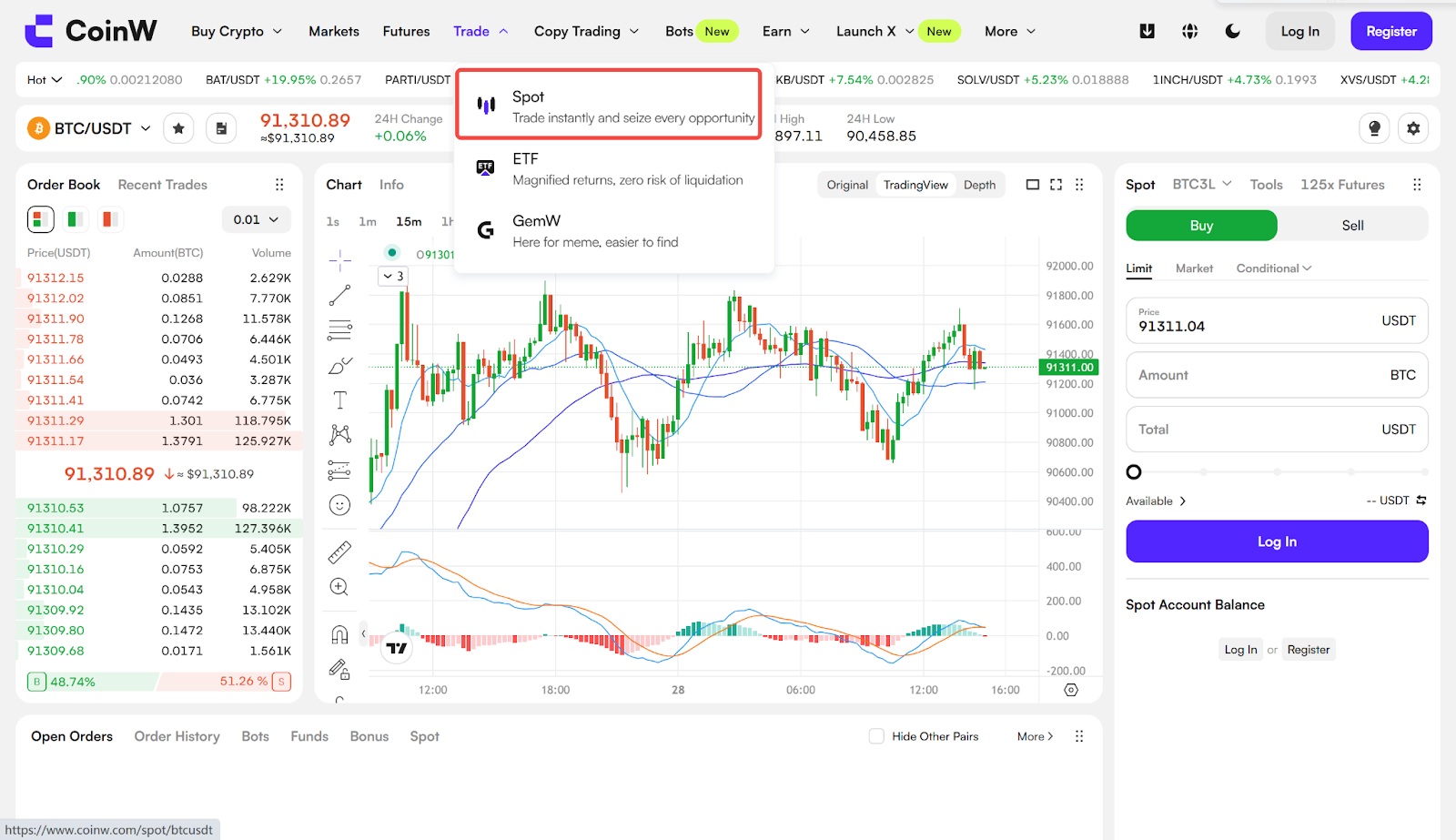
Log in to the web platform, hover over "Trade," and select "Spot" from the dropdown menu.
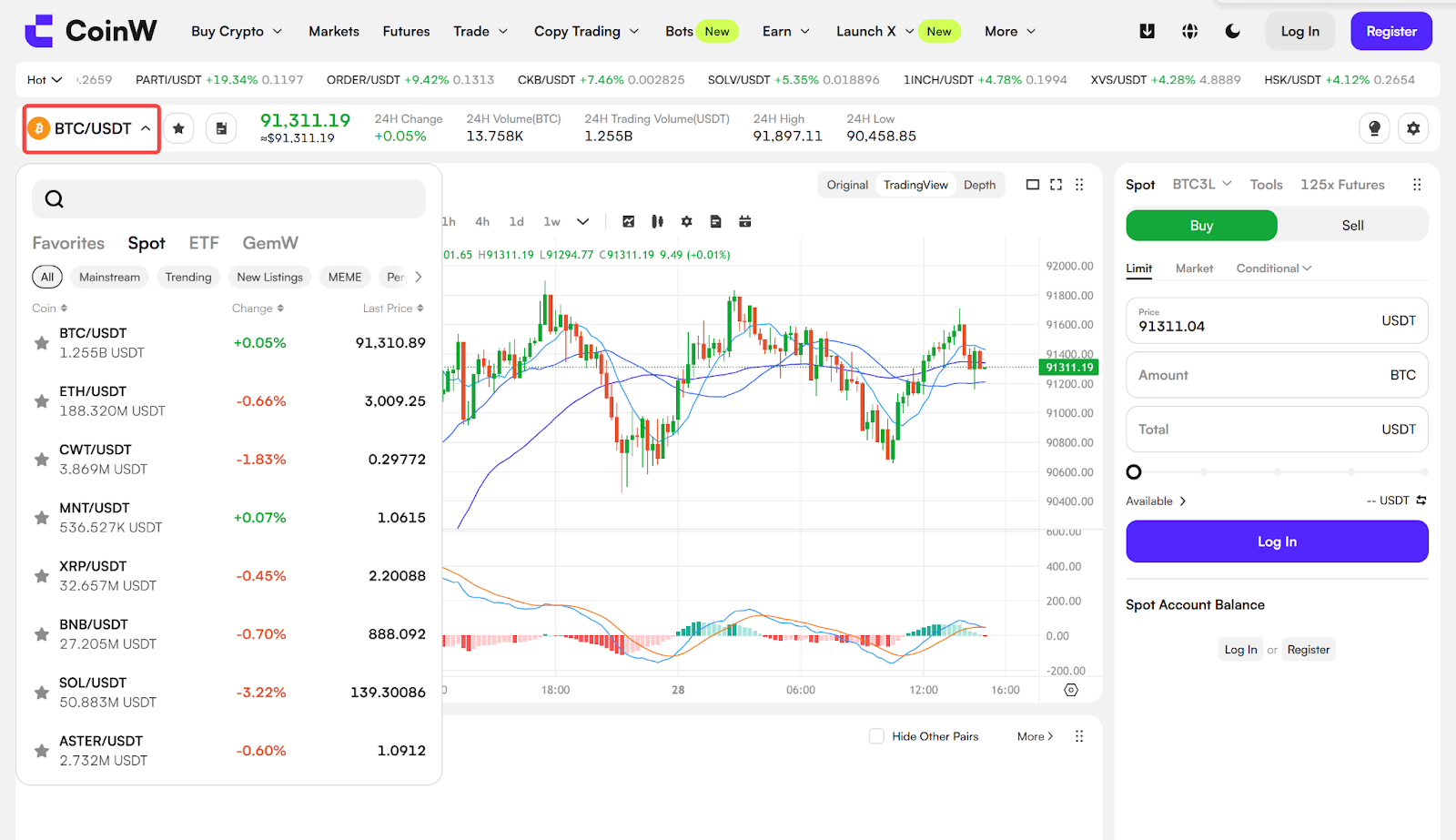
Search in the left-side currency column or directly select the currency you wish to trade.
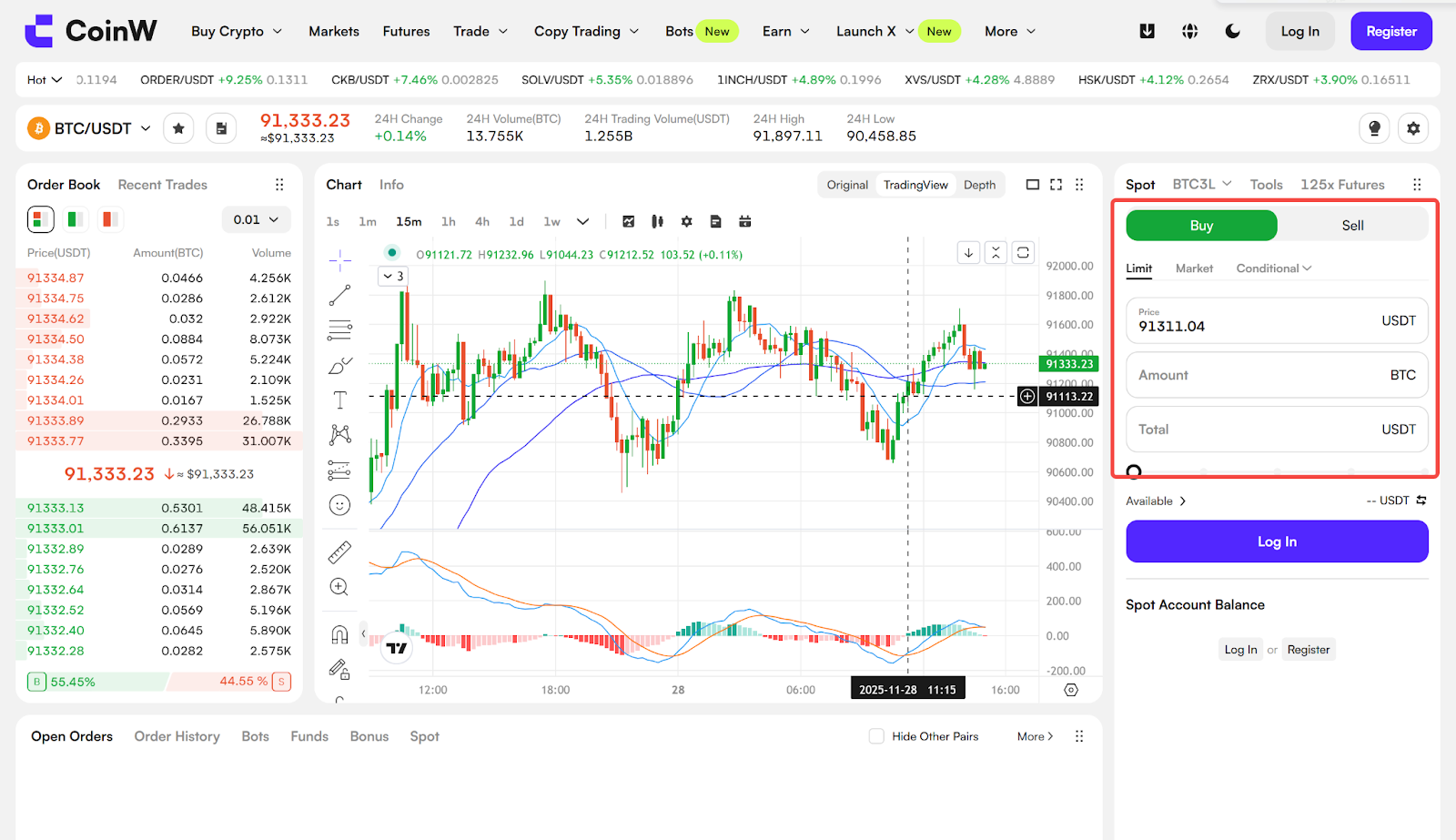
If you want to place a buy order, enter "Buy Price," "Quantity," or "Total Amount" on the left side sequentially, then click "Buy."
If you want to place a sell order, enter "Sell Price," "Quantity," or "Total Amount" on the right side sequentially, then click "Sell."
Explanation of Order Types
Limit Order: Set your own buying or selling price. The transaction will only be executed when the market price reaches the set price. If the market price does not reach the set price, the limit order will continue to wait for execution.
Market Order: Executes the transaction at the current best available price by default.
Conditional Order: You need to set a trigger price, a limit price, and the trading amount. When the market price fluctuates to your trigger price, the system will place a limit order at your specified limit price, waiting for the order to be executed.
Advanced Limit Order: Building upon the basic limit order, you can set different order statuses: Post Only, Fill Or Kill, Immediate Or Cancel, and Immediate Or Kill.
APP
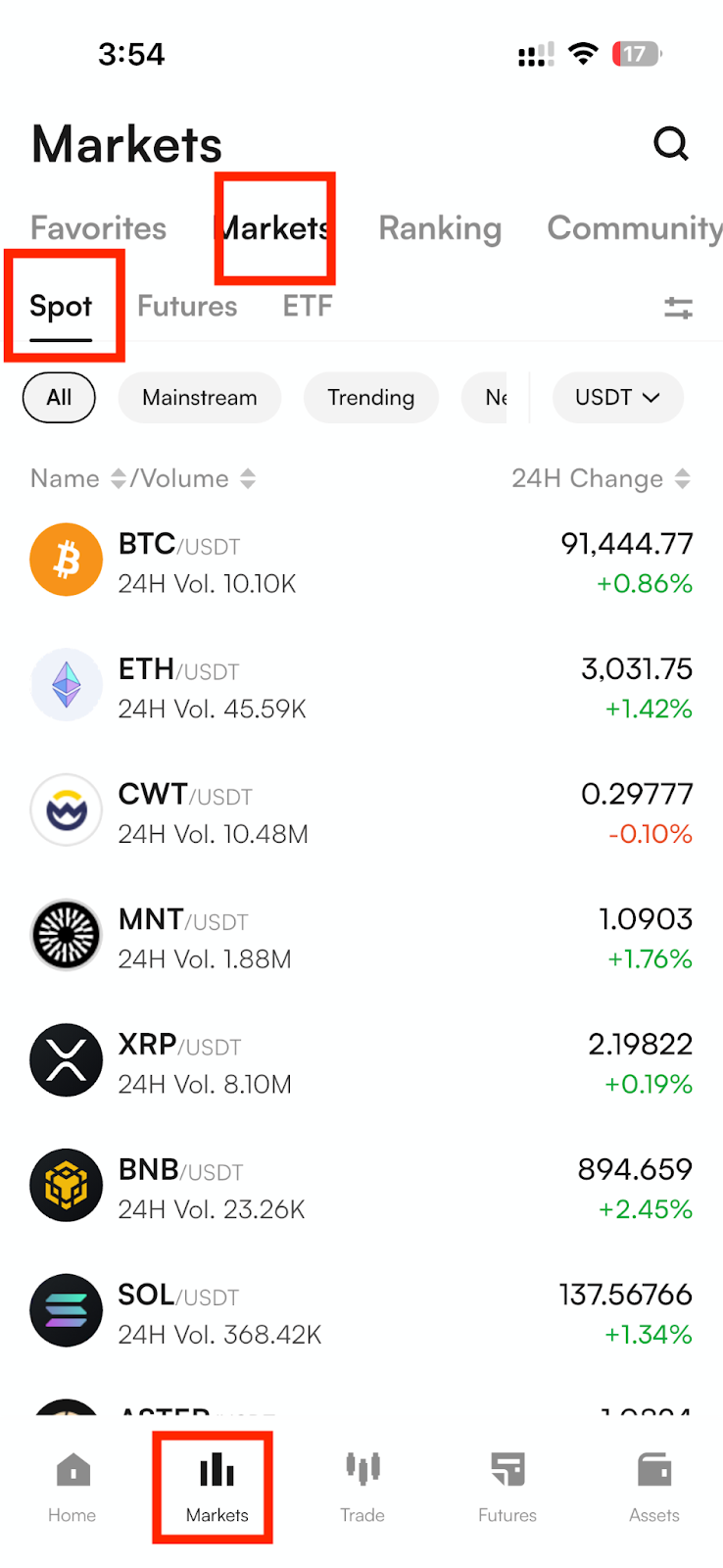
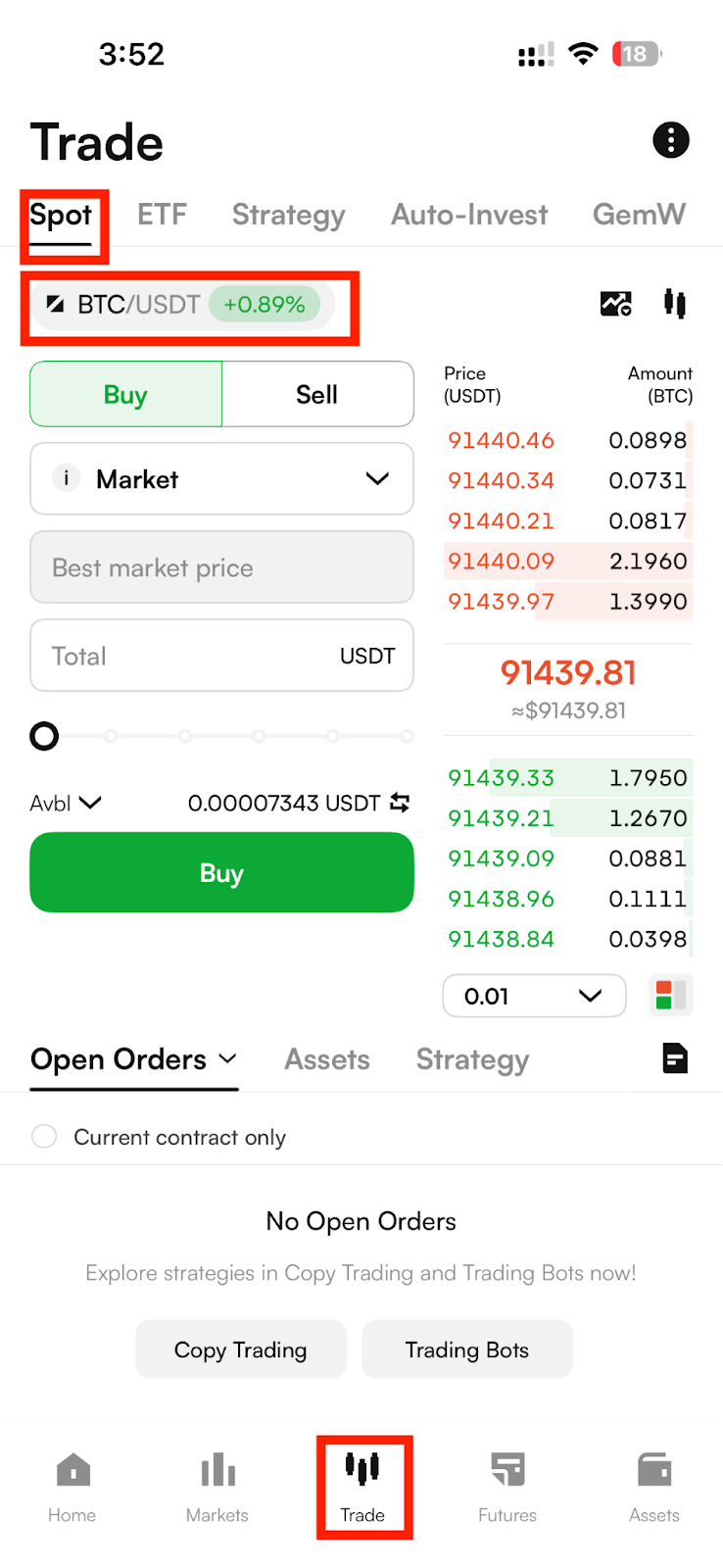
Log in to the app and tap the "Trade" button on the bottom navigation bar, then select "Spot" at the top to enter the Spot trading interface. Click on the currency pair at the top to expand the list of available currencies. Choose or search for the desired currency pair to initiate trading.
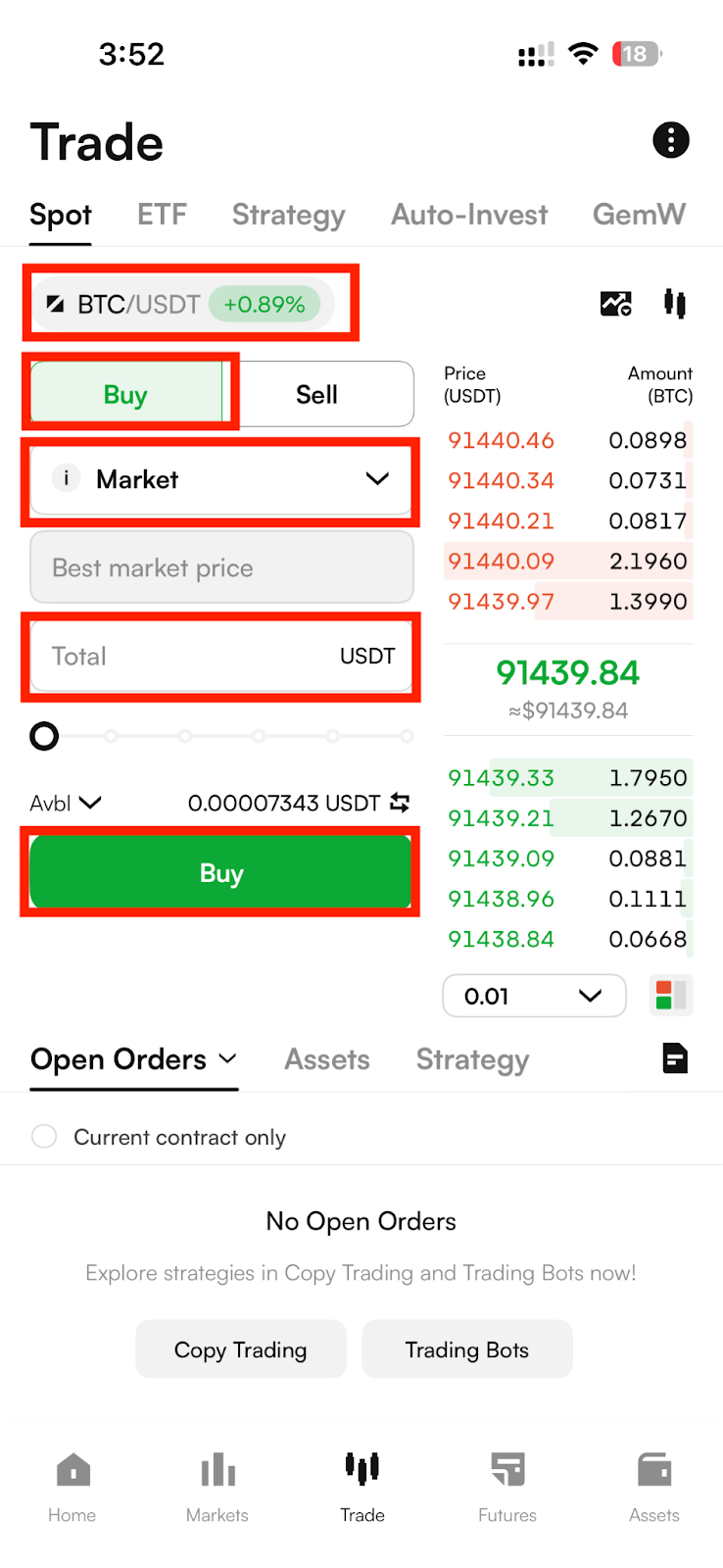
If you wish to place a buy order, select "Buy" at the top, enter "Buy Price," "Quantity," or "Total Amount," then click "Buy" to proceed.
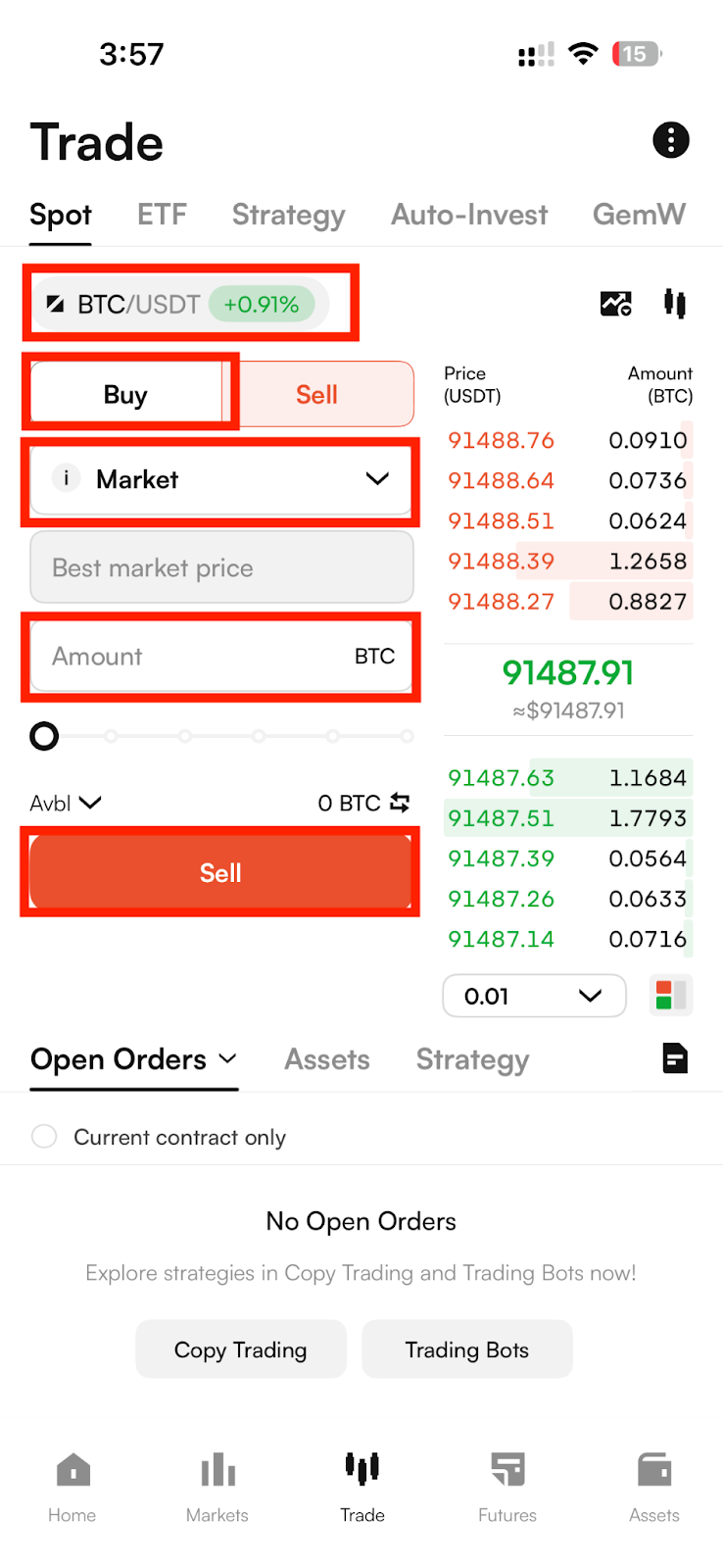
If you want to place a sell order, select "Sell" at the top, enter "Sell Price," "Quantity," or "Total Amount," then click "Sell" to proceed.
Explanation of Order Types
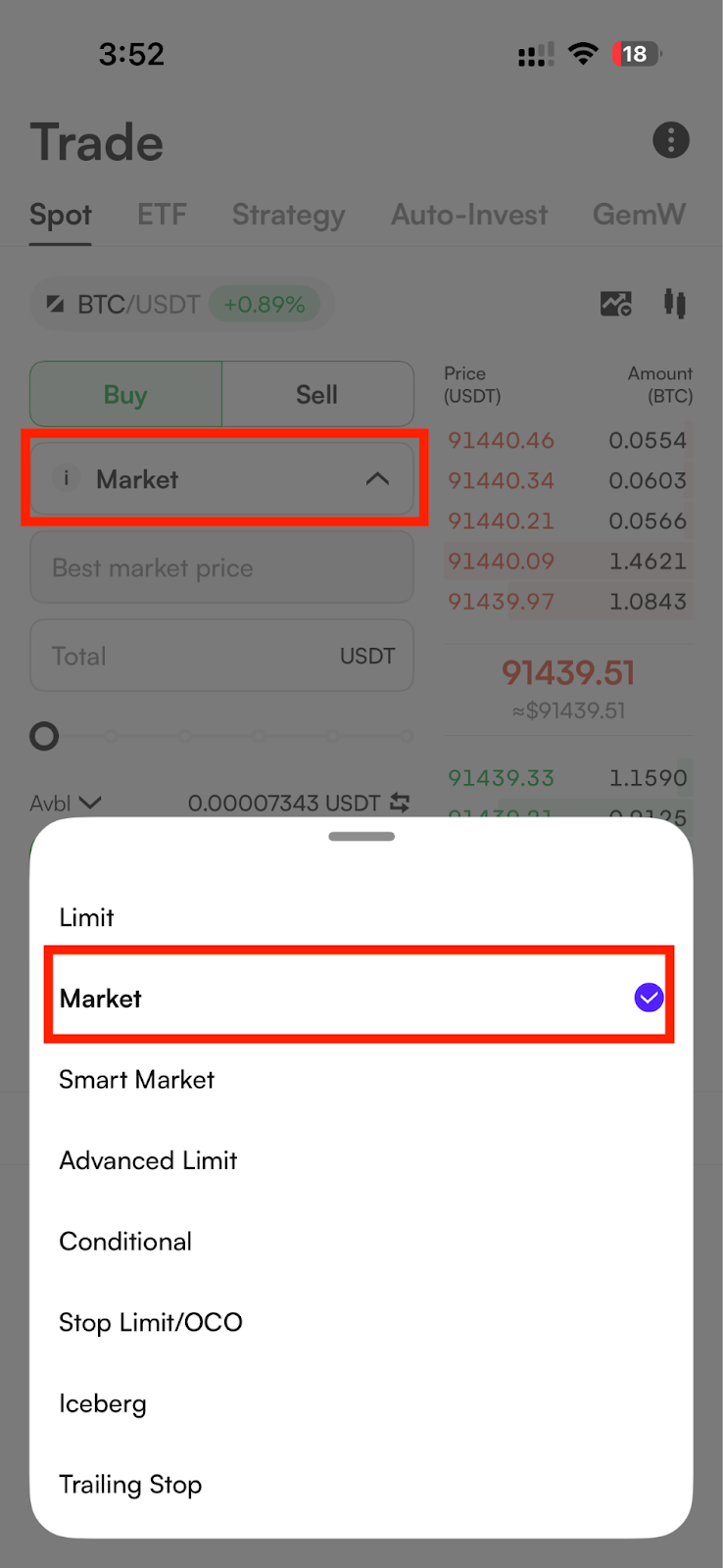
1. Limit Order: Set your own buying or selling price. The transaction will only be executed when the market price reaches the set price. If the market price does not reach the set price, the limit order will continue to wait for execution.
2. Market Order: Executes the transaction at the current best available price by default.
3. Conditional Order: You need to set a trigger price, a limit price, and the trading amount. When the market price fluctuates to your trigger price, the system will place a limit order at your specified limit price, waiting for the order to be executed.
4. Advanced Limit Order: Building upon the basic limit order, you can set different order statuses: Post Only, Fill Or Kill, Immediate Or Cancel, and Immediate Or Kill.
About Spot Trading
Spot trading mainly involves trading between cryptocurrencies, using one type of cryptocurrency as the pricing unit to purchase other cryptocurrencies. The rules for spot trading follow price priority and time priority to complete matched trades, directly facilitating the exchange of digital assets. For example, BTC-USDT refers to the trading exchange between BTC and USDT.
WEB
Log in to the web platform, hover over "Trade," and select "Spot" from the dropdown menu.
Search in the left-side currency column or directly select the currency you wish to trade.
If you want to place a buy order, enter "Buy Price," "Quantity," or "Total Amount" on the left side sequentially, then click "Buy."
If you want to place a sell order, enter "Sell Price," "Quantity," or "Total Amount" on the right side sequentially, then click "Sell."
Explanation of Order Types
Limit Order: Set your own buying or selling price. The transaction will only be executed when the market price reaches the set price. If the market price does not reach the set price, the limit order will continue to wait for execution.
Market Order: Executes the transaction at the current best available price by default.
Conditional Order: You need to set a trigger price, a limit price, and the trading amount. When the market price fluctuates to your trigger price, the system will place a limit order at your specified limit price, waiting for the order to be executed.
Advanced Limit Order: Building upon the basic limit order, you can set different order statuses: Post Only, Fill Or Kill, Immediate Or Cancel, and Immediate Or Kill.
APP
Log in to the app and tap the "Trade" button on the bottom navigation bar, then select "Spot" at the top to enter the Spot trading interface. Click on the currency pair at the top to expand the list of available currencies. Choose or search for the desired currency pair to initiate trading.
If you wish to place a buy order, select "Buy" at the top, enter "Buy Price," "Quantity," or "Total Amount," then click "Buy" to proceed.
If you want to place a sell order, select "Sell" at the top, enter "Sell Price," "Quantity," or "Total Amount," then click "Sell" to proceed.
Explanation of Order Types
1. Limit Order: Set your own buying or selling price. The transaction will only be executed when the market price reaches the set price. If the market price does not reach the set price, the limit order will continue to wait for execution.
2. Market Order: Executes the transaction at the current best available price by default.
3. Conditional Order: You need to set a trigger price, a limit price, and the trading amount. When the market price fluctuates to your trigger price, the system will place a limit order at your specified limit price, waiting for the order to be executed.
4. Advanced Limit Order: Building upon the basic limit order, you can set different order statuses: Post Only, Fill Or Kill, Immediate Or Cancel, and Immediate Or Kill.
About Spot Trading
Spot trading mainly involves trading between cryptocurrencies, using one type of cryptocurrency as the pricing unit to purchase other cryptocurrencies. The rules for spot trading follow price priority and time priority to complete matched trades, directly facilitating the exchange of digital assets. For example, BTC-USDT refers to the trading exchange between BTC and USDT.