FAQ
APP
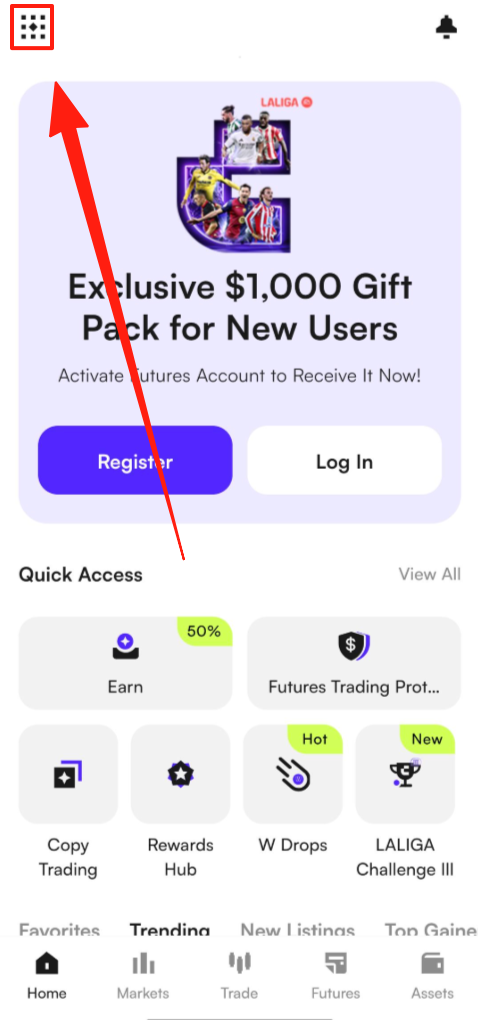
(1) Open the CoinW App and tap the account icon in the top left corner of the home screen to enter the "More" menu.
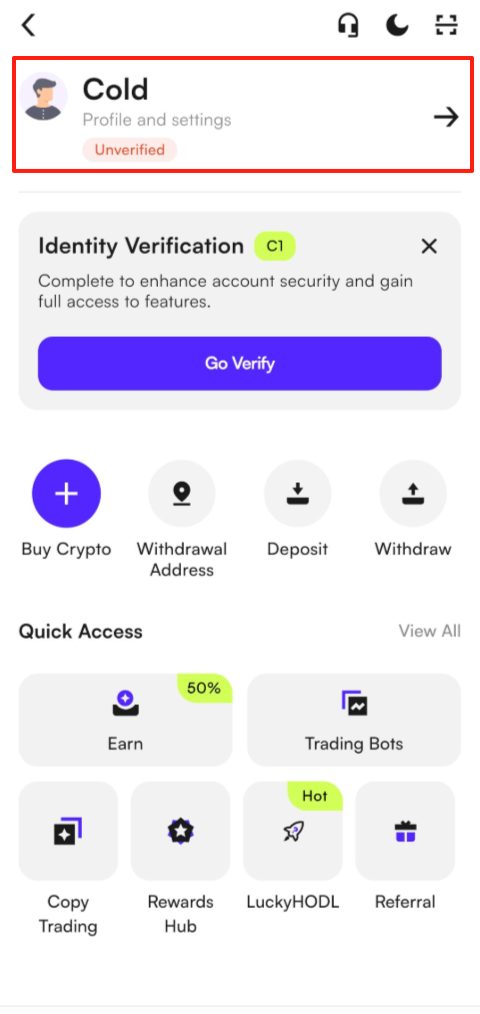
(2) Tap your profile picture, then select Security Center.
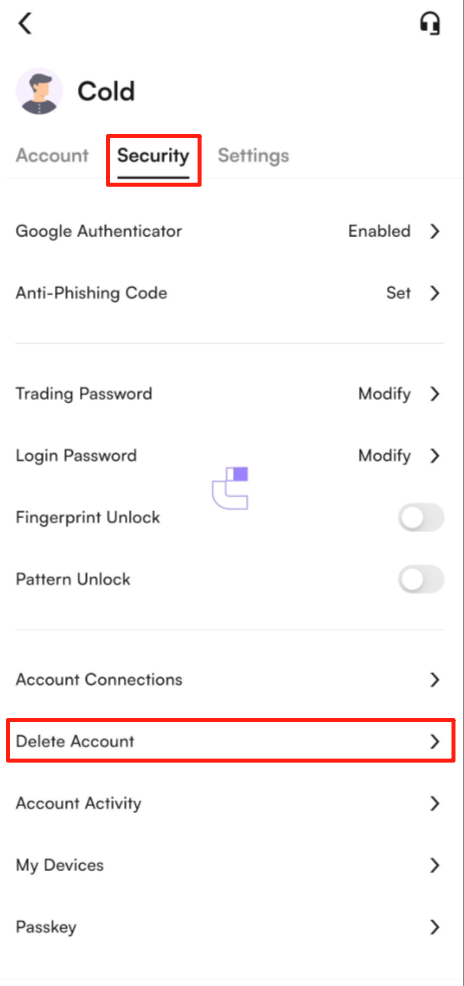
(3) In the Security Center, scroll to the bottom of the page to find the Delete Account option.
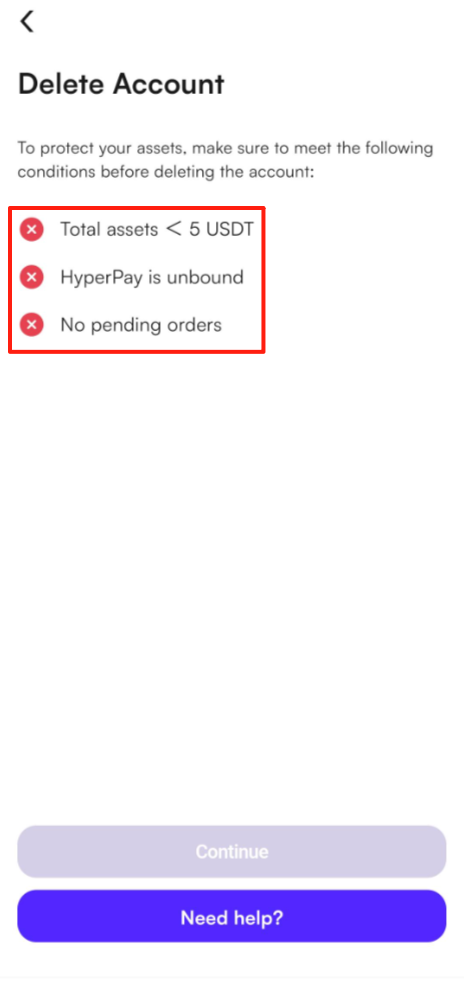
(4) After clicking "Delete Account", a prompt will appear displaying the three conditions required for account deletion. If any of these conditions are not met, the account cannot be deleted. Please ensure that all three conditions are fully satisfied before proceeding.
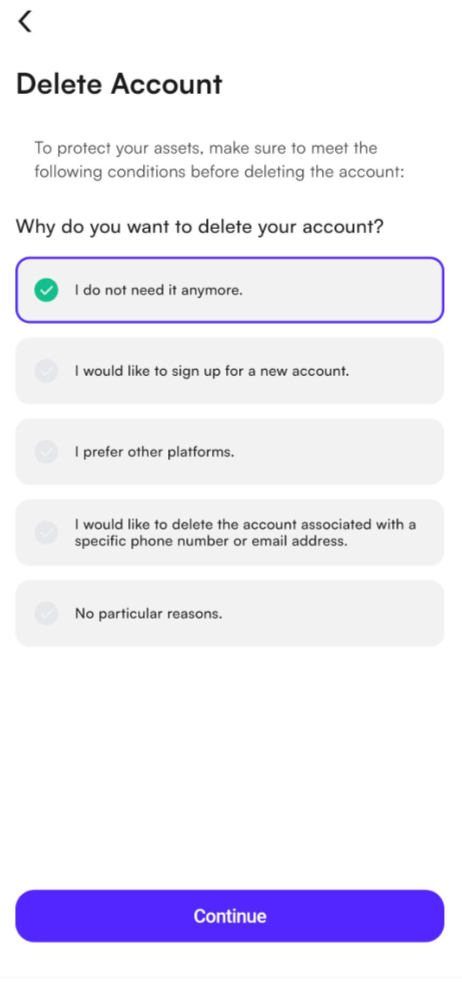
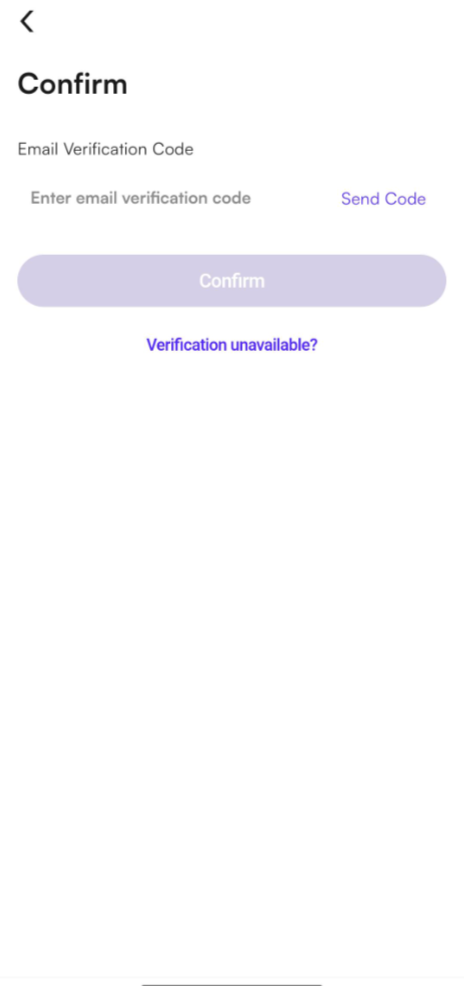
(5) If all required conditions are met, the system will proceed to the account deletion reason selection and verification code page.
(6) If your account is empty, it will be immediately successfully deactivated; if your account has any deposit or KYC records, you will need to contact customer service for further assistance. Please follow the instructions on the deactivation page for the specific procedure.
WEB
The account deletion function is currently not supported on the web version. Please download and log in to the CoinW App to submit your deletion request.
APP
(1) Open the CoinW App and tap the account icon in the top left corner of the home screen to enter the "More" menu.
(2) Tap your profile picture, then select Security Center.
(3) In the Security Center, scroll to the bottom of the page to find the Delete Account option.
(4) After clicking "Delete Account", a prompt will appear displaying the three conditions required for account deletion. If any of these conditions are not met, the account cannot be deleted. Please ensure that all three conditions are fully satisfied before proceeding.
(5) If all required conditions are met, the system will proceed to the account deletion reason selection and verification code page.
(6) If your account is empty, it will be immediately successfully deactivated; if your account has any deposit or KYC records, you will need to contact customer service for further assistance. Please follow the instructions on the deactivation page for the specific procedure.
WEB
The account deletion function is currently not supported on the web version. Please download and log in to the CoinW App to submit your deletion request.