FAQ
APP
(1) Open the CoinW App and go to the homepage.
(2) Tap the Login button to enter the login screen.
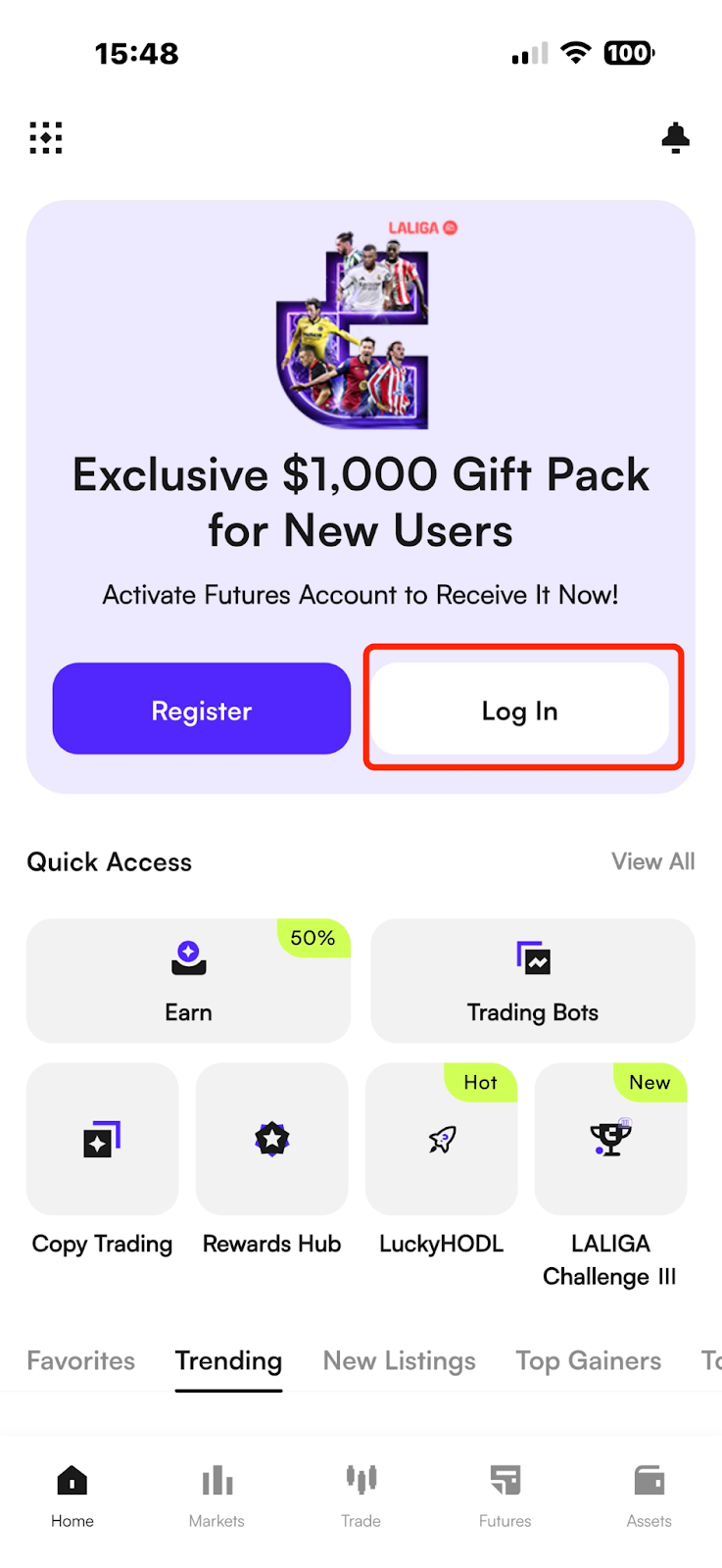
(3) Choose your preferred login method and enter your account credentials. Currently, the platform supports login via mobile number or email.
If logging in with a mobile number, make sure to select the correct country/region code.
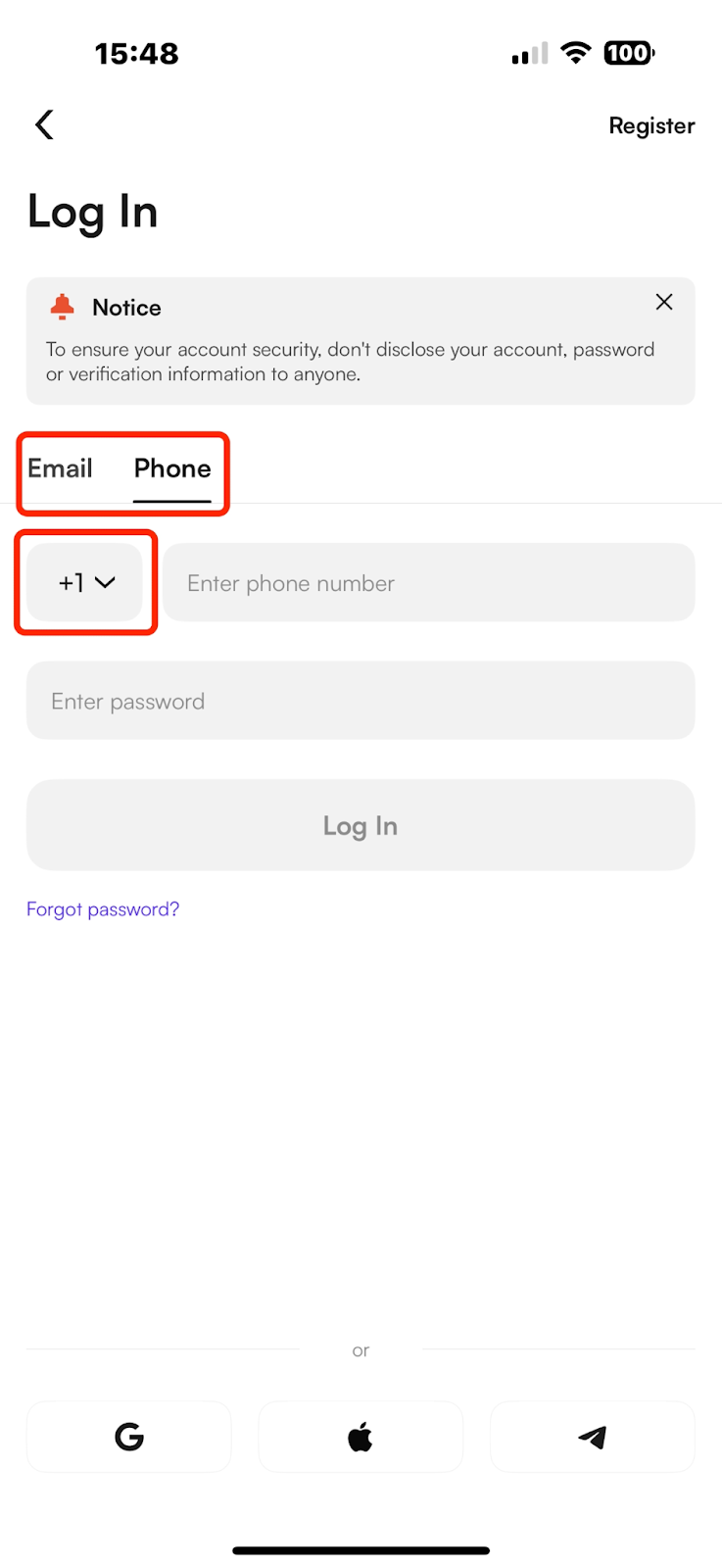
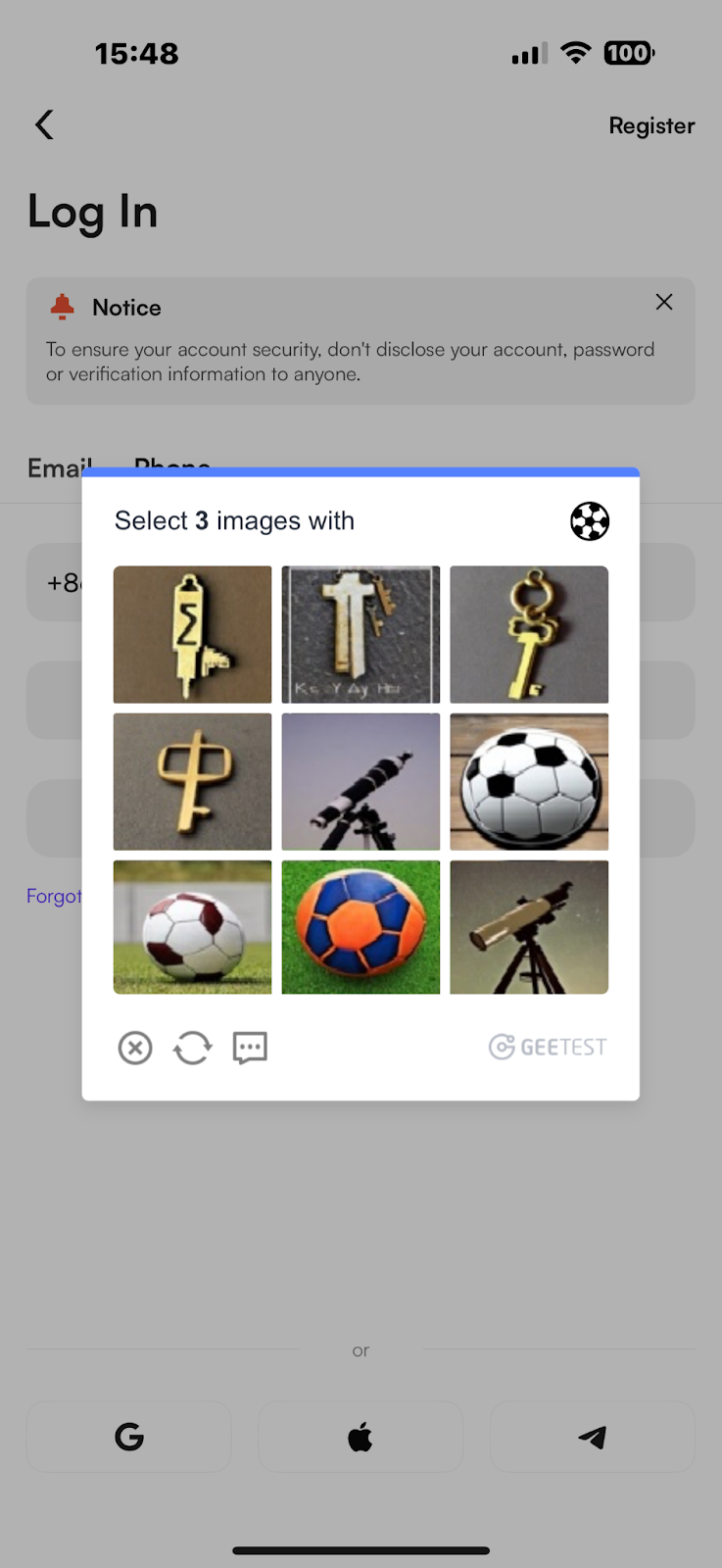
(4) After entering your account and password, a security verification screen will appear.
Follow the instructions shown in the top right corner of the page to complete the image verification.
WEB
(1) Go to the official CoinW website: https://www.coinw.com/;
(2) Click the Login button in the top-right corner to access the login page.
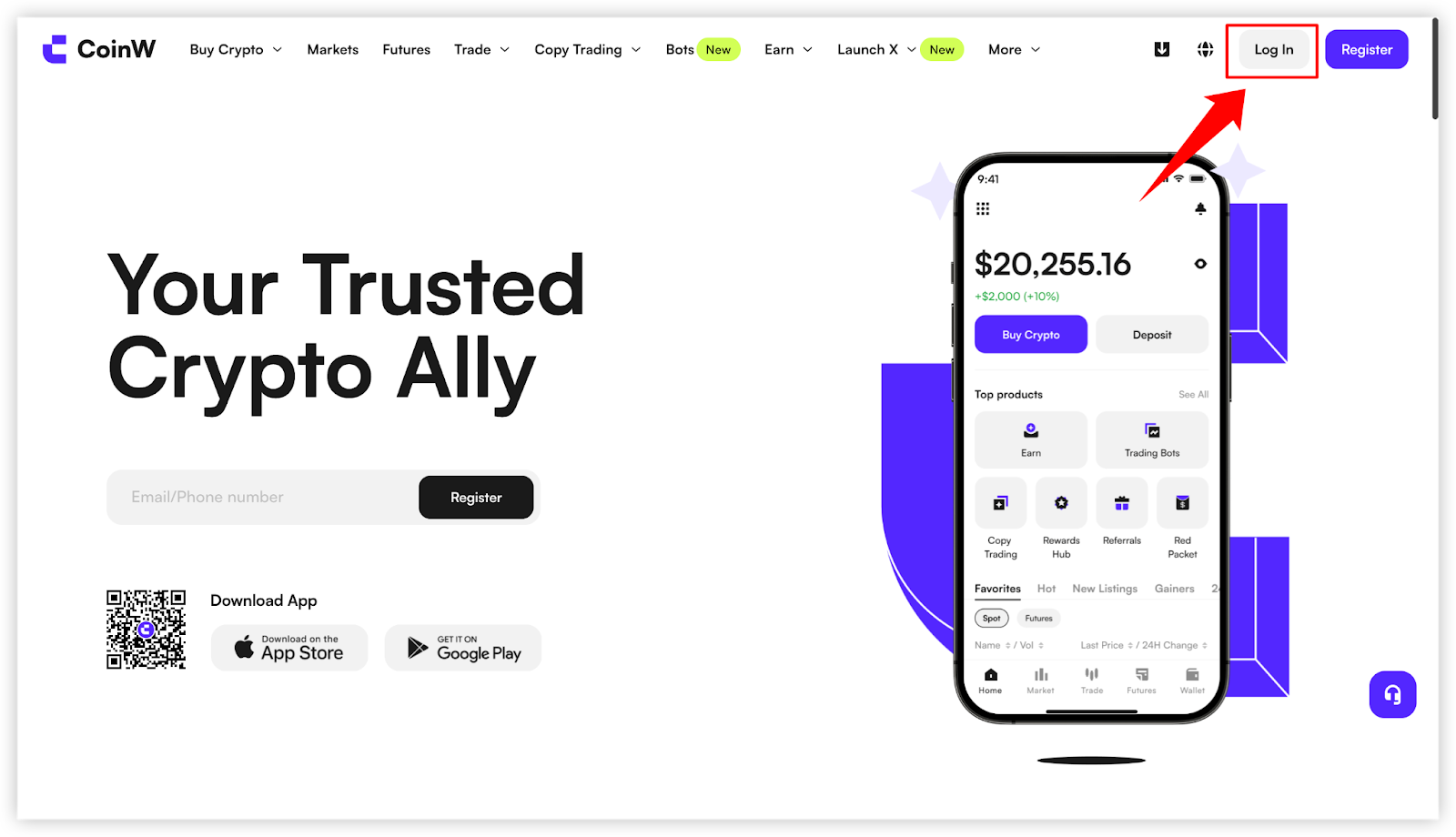
(3) Currently, CoinW Web supports three login methods: Mobile number,Email and QR code login via the mobile app.
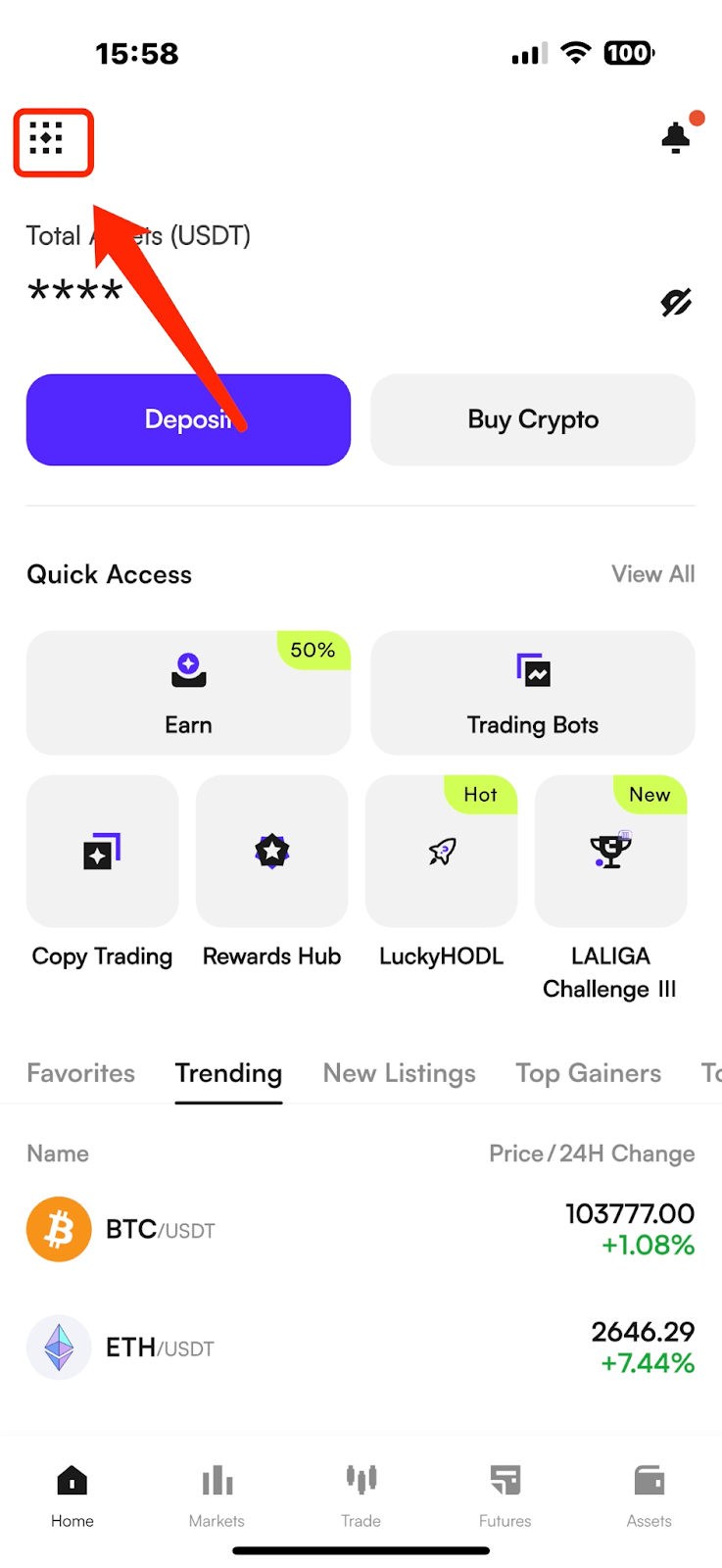
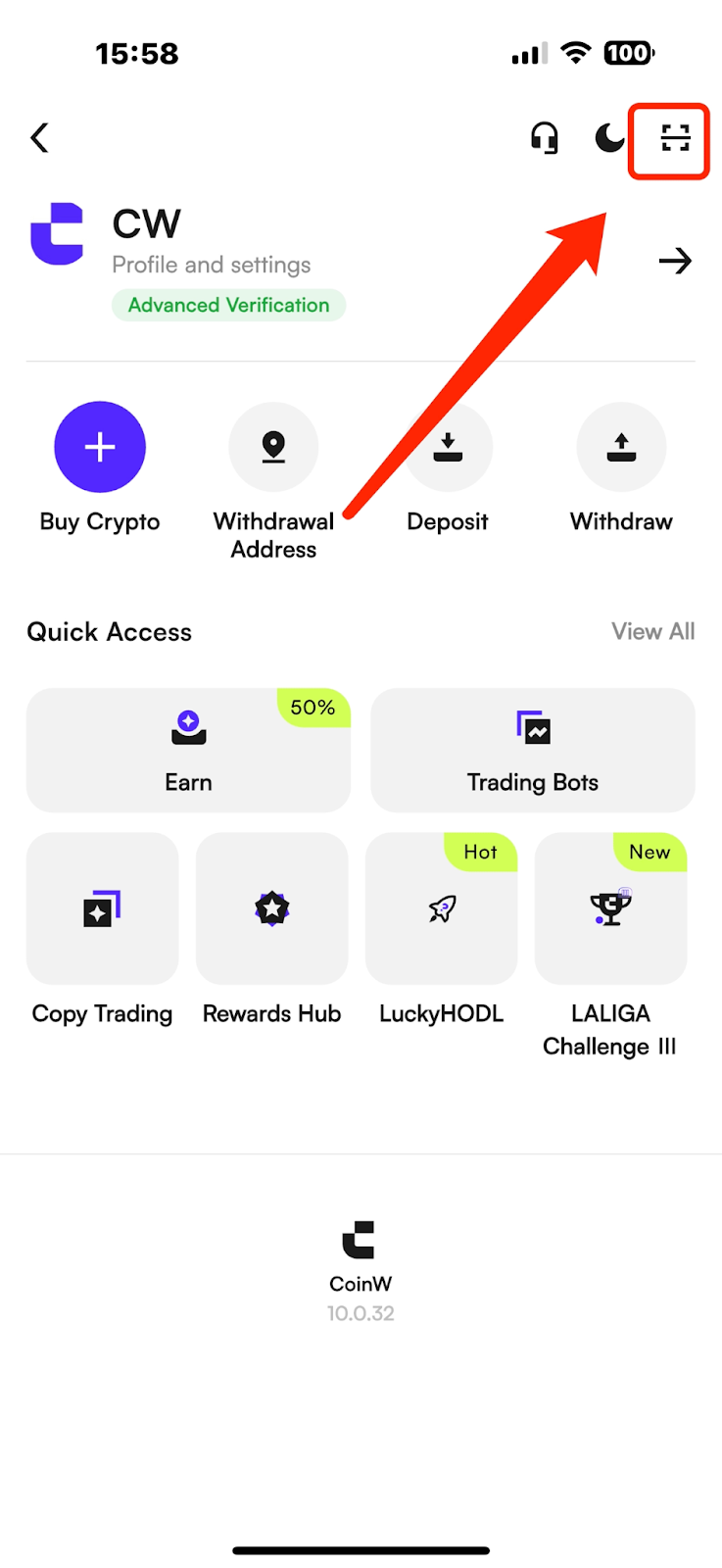
(4) If logging in via QR code with the mobile app:
Open the CoinW app and go to the homepage.
Tap the small square icon in the top-left corner to enter the Personal Center.
Then tap the QR code icon in the top-right corner.
Scan the QR code displayed on the Web login page to log in successfully.
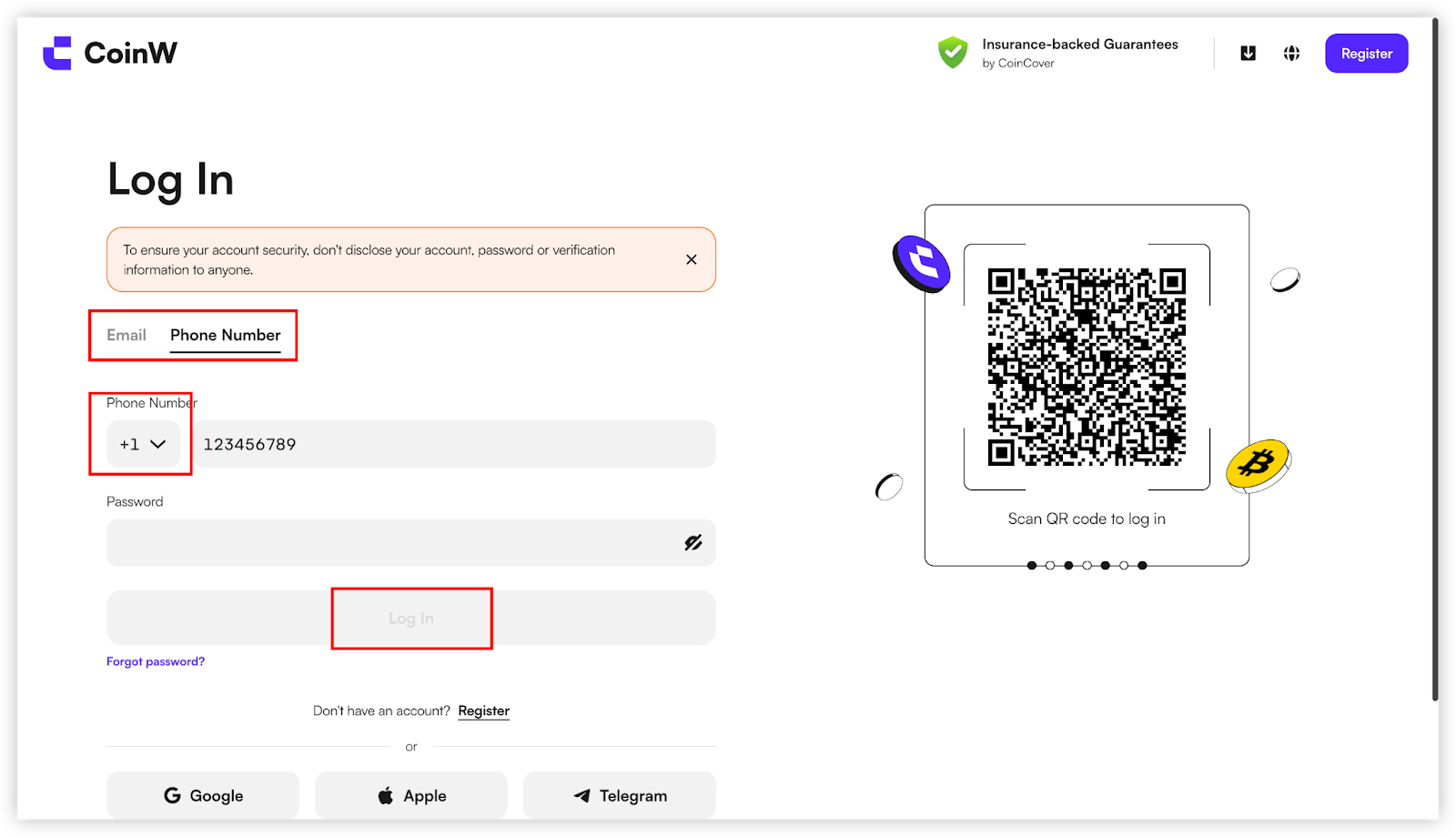
(5) If logging in with a mobile number or email:
Select your preferred login method.
Enter your phone number or email address, along with your login password, then click the Login button.
If logging in with a mobile number, be sure to select the correct country/region code.
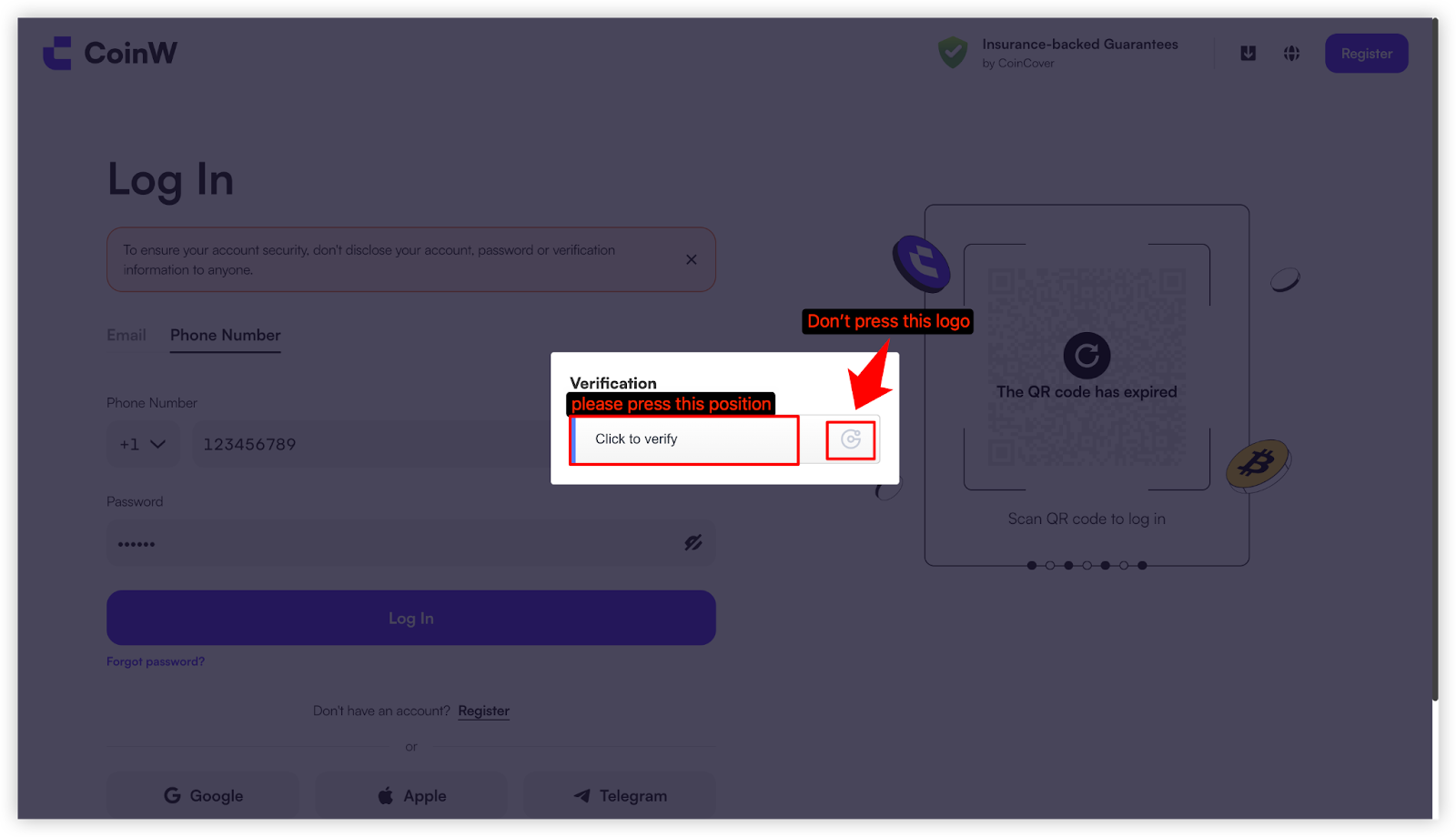
(6) After clicking the Login button, the system will redirect you to a verification page.
Click the button to begin the verification process.
APP
(1) Open the CoinW App and go to the homepage.
(2) Tap the Login button to enter the login screen.
(3) Choose your preferred login method and enter your account credentials. Currently, the platform supports login via mobile number or email.
If logging in with a mobile number, make sure to select the correct country/region code.
(4) After entering your account and password, a security verification screen will appear.
Follow the instructions shown in the top right corner of the page to complete the image verification.
WEB
(1) Go to the official CoinW website: https://www.coinw.com/;
(2) Click the Login button in the top-right corner to access the login page.
(3) Currently, CoinW Web supports three login methods: Mobile number,Email and QR code login via the mobile app.
(4) If logging in via QR code with the mobile app:
Open the CoinW app and go to the homepage.
Tap the small square icon in the top-left corner to enter the Personal Center.
Then tap the QR code icon in the top-right corner.
Scan the QR code displayed on the Web login page to log in successfully.
(5) If logging in with a mobile number or email:
Select your preferred login method.
Enter your phone number or email address, along with your login password, then click the Login button.
If logging in with a mobile number, be sure to select the correct country/region code.
(6) After clicking the Login button, the system will redirect you to a verification page.
Click the button to begin the verification process.